OpenAI GPT-5.6 Launch
Introduction
For three weeks, almost nobody outside a small list of government-approved companies could touch OpenAI’s newest model. That alone made GPT-5.6 one of the stranger AI launches in recent memory. Most new models show up with a blog post and a “try it now” button. This one showed up with a government review process attached to it.
On July 9, 2026, that changed. OpenAI rolled GPT-5.6 out publicly, in three versions — Sol, Terra, and Luna — after a limited preview that started June 26 for a small group of trusted partners whose access had been coordinated with U.S. officials. If you’ve been reading headlines about a “banned” or “restricted” AI model this summer, this is almost certainly the one they meant.
This guide skips the marketing language and gets into what actually matters: what GPT-5.6 does differently, what it costs, where you can actually use it, and where it falls short. I’ve pulled details from OpenAI’s own launch materials and system card, along with reporting from outlets that tested the model directly, so you’re not relying on hype from a press release.
Search intent behind this article: People searching “OpenAI GPT-5.6” are mostly trying to answer one of three questions — is this new, is it worth using, and how is it different from what I already have (ChatGPT Plus, GPT-5.5, or a competitor like Claude or Gemini)? This article is built to answer all three, for both casual ChatGPT users and developers building on the API.
What Is GPT-5.6, Exactly?
GPT-5.6 is OpenAI’s newest model family, following GPT-5.5. Instead of releasing one model, OpenAI launched three sized versions built on the same architecture:
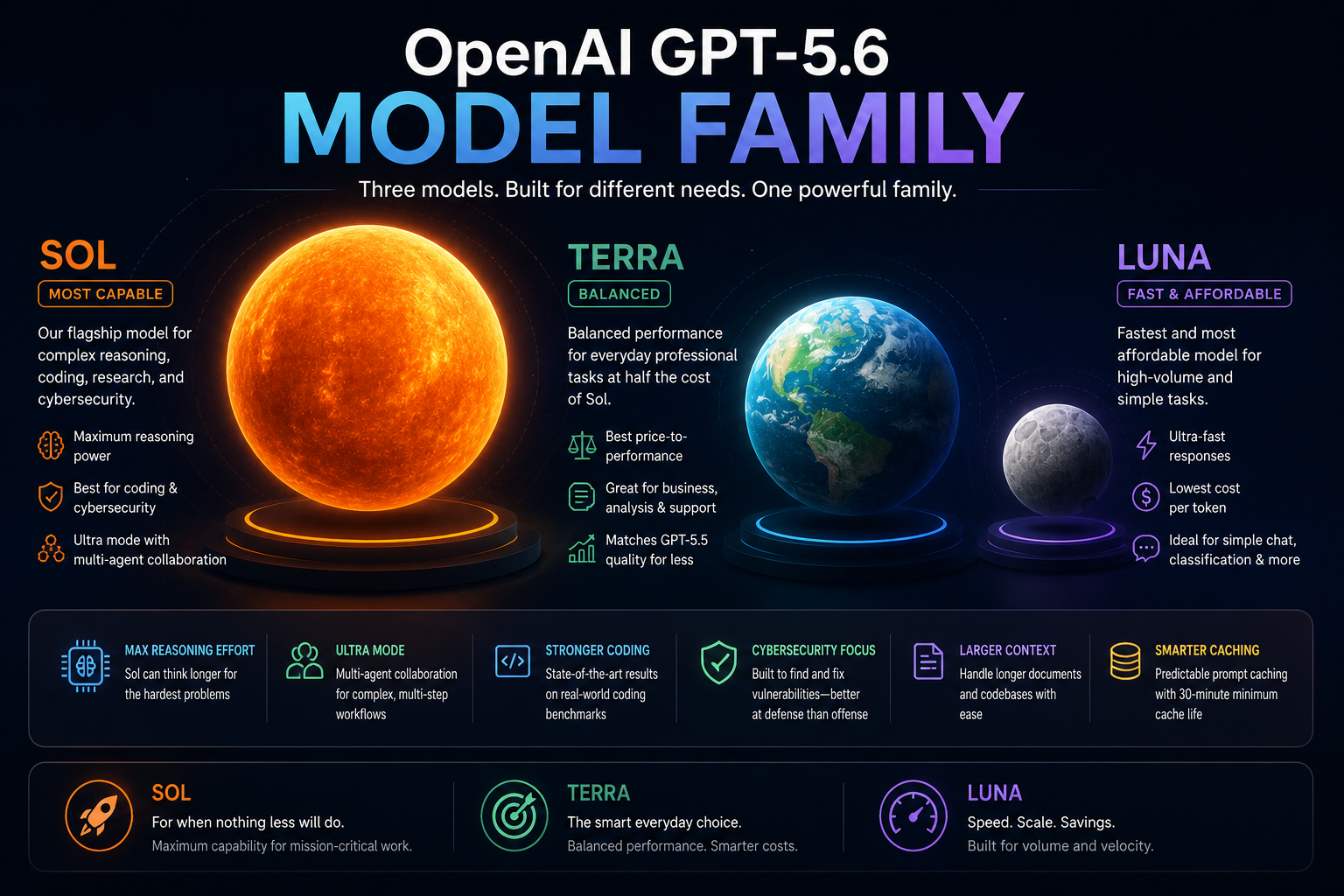
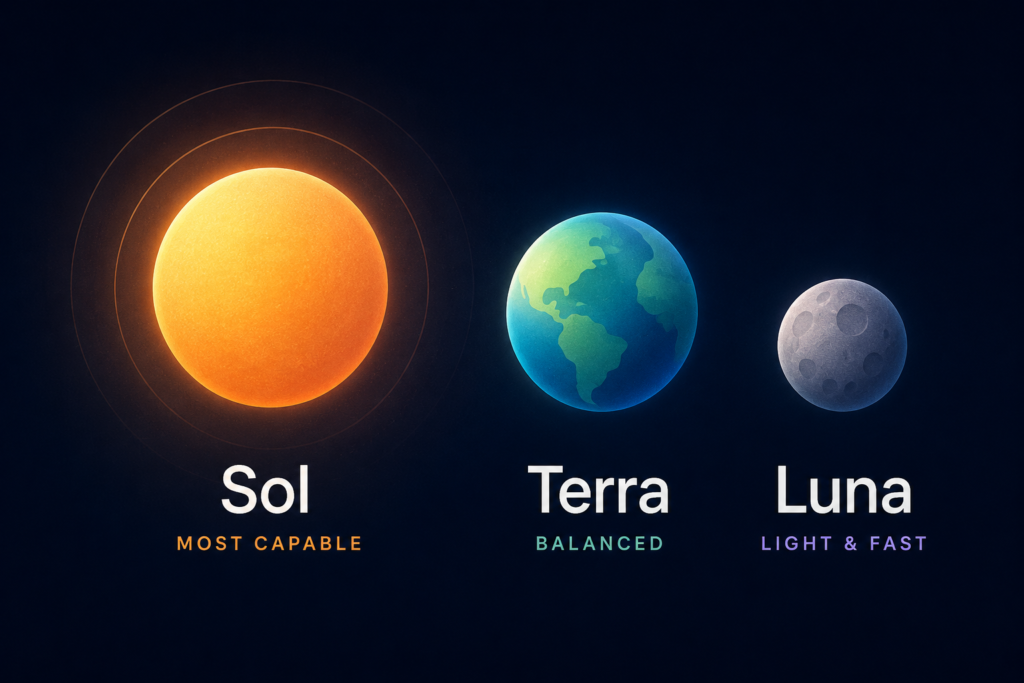
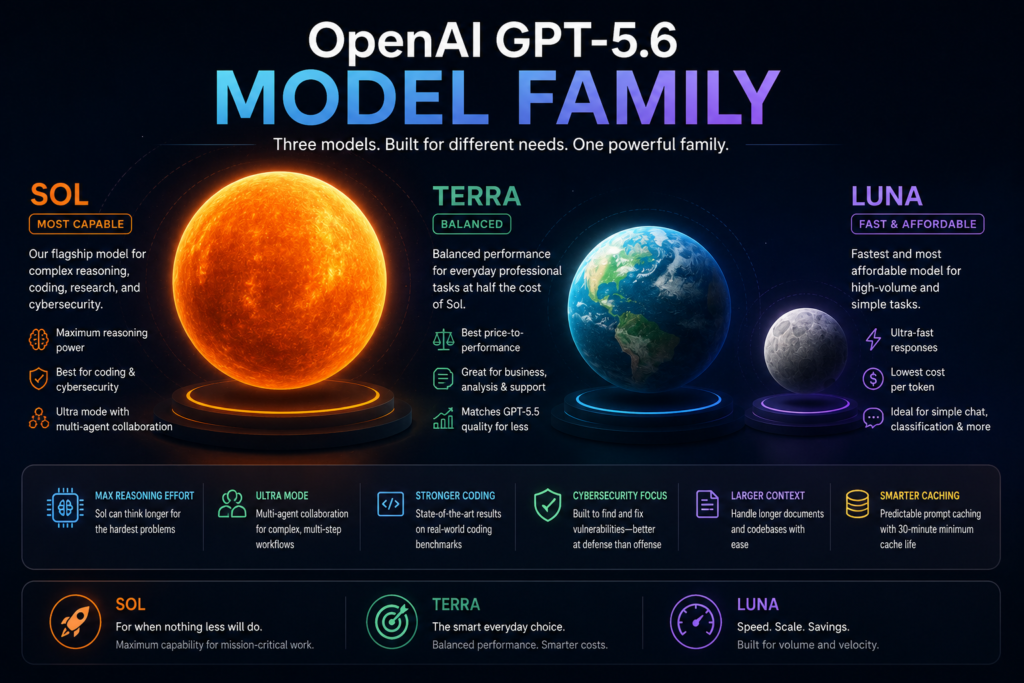
- Sol – the flagship, built for hard reasoning, coding, and cybersecurity work
- Terra – a mid-tier model meant to match GPT-5.5’s quality at roughly half the cost
- Luna – the fastest, cheapest option for everyday tasks
This is a shift from the old naming pattern of “mini” and “nano” suffixes. OpenAI is now naming tiers instead, which makes it a little easier to know what you’re getting without memorizing a spec sheet.
Alongside GPT-5.6, OpenAI also launched ChatGPT Work, a new agent-style tool that connects to your files and apps to draft documents, spreadsheets, and presentations, and GPT-Live 1, a new voice model now powering ChatGPT’s voice mode. Both are worth knowing about, but this article focuses on the core GPT-5.6 language models.
Why the Government Was Involved
( Please Verify throgh official Source yourself)
This is the part of the launch that made GPT-5.6 different from a typical model release, so it’s worth explaining clearly.
Earlier in 2026, the Trump administration signed an executive order asking AI companies to voluntarily submit their most powerful models for government review about 30 days before public release, specifically because of concerns around cybersecurity capability. OpenAI complied by first releasing GPT-5.6 only to a small number of organizations whose participation had been shared with the government — reportedly around 20 approved groups.
OpenAI publicly said it didn’t want this kind of gated access to become the standard way models get released, but it went along with the process anyway. After additional testing by the Department of Commerce’s Center for AI Standards and Innovation, and further meetings between OpenAI and government officials, the restriction was lifted and GPT-5.6 launched broadly on July 9.
It’s worth noting this happened in the same general window as a separate, unrelated case: Anthropic’s Claude Fable and Mythos models were also briefly suspended in June 2026 due to export control rules, before access was restored on July 1. The two situations are not the same issue, but both point to a bigger pattern this year — AI companies increasingly having to coordinate frontier model releases with the U.S. government before the public gets access.
GPT-5.6 Sol vs. Terra vs. Luna
Here’s the honest breakdown of what each tier is actually for, based on OpenAI’s own materials.
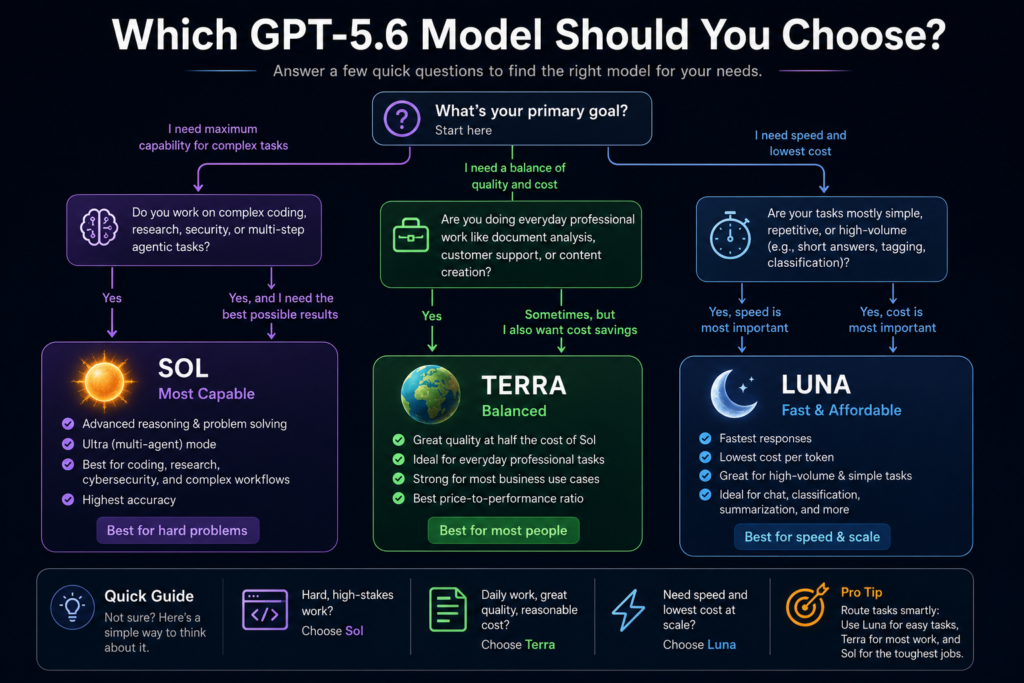
Sol is the model to reach for when accuracy matters more than speed or cost — things like multi-file code refactors, security research, long research tasks, or agentic workflows where the model needs to plan several steps ahead. It’s also the only tier with an “Ultra” mode (more on that below).
Terra is positioned as the practical daily driver. OpenAI says it performs close to GPT-5.5’s quality level while costing about half as much, which makes it a reasonable default for customer support bots, internal tools, or document analysis where you don’t want to pay Sol pricing for every request.
Luna is built for speed and volume — short-answer chat, simple classification tasks, or high-frequency API calls where cost per request matters more than reasoning depth.
A useful way to think about it: route easy tasks to Luna, everyday professional tasks to Terra, and save Sol for the handful of tasks each week that actually need heavyweight reasoning.
Key Features (GPT 5.6 Features)
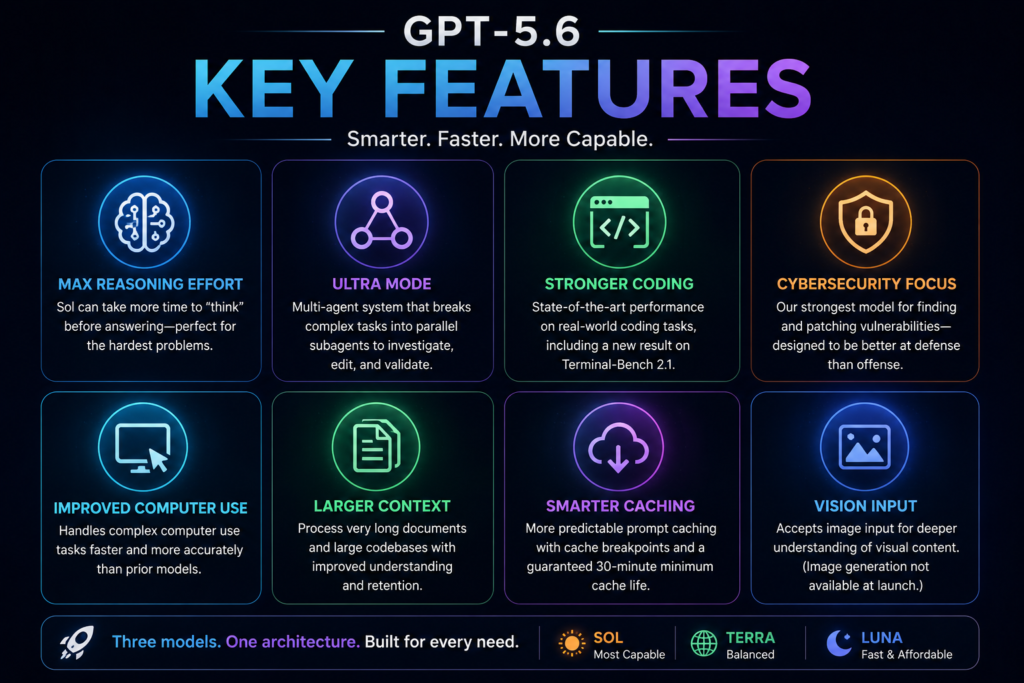
- Max reasoning effort – A new setting that gives Sol more time to “think” before answering, aimed at genuinely hard problems rather than quick questions.
- Ultra mode – Instead of one model working alone, Ultra mode splits complex work across multiple subagents that investigate, edit, and validate in parallel. OpenAI positions this for repository-scale coding work, long security investigations, and multi-step research — not for quick edits or simple questions, where it’s likely overkill.
- Stronger coding performance – OpenAI says Sol set a new result on Terminal-Bench 2.1, a benchmark that tests real command-line workflows requiring planning and tool use, not just single code snippets.
- Cybersecurity-focused capability – GPT-5.6 is described by OpenAI as its strongest cybersecurity model to date, better at finding and patching vulnerabilities than at exploiting them in testing, according to its own system card. That’s a meaningful distinction: it’s being framed as a defender’s tool first.
- Computer use improvements – Sol handles “computer use” tasks (letting the model operate a screen or interface directly) faster than prior versions, which matters for the Codex coding environment and ChatGPT Work.
- Larger context handling – GPT-5.6 can process very long documents and codebases, though the exact number varies depending on where you’re using it (see the note in the comparison table below).
- Prompt caching improvements – For developers, GPT-5.6 adds more predictable prompt caching, including cache breakpoints and a fixed 30-minute minimum cache life, which can meaningfully cut costs on repeated queries.
- Vision input – GPT-5.6 accepts image input. As of launch, OpenAI has not announced native image generation for this model family.
Feature Comparison Table
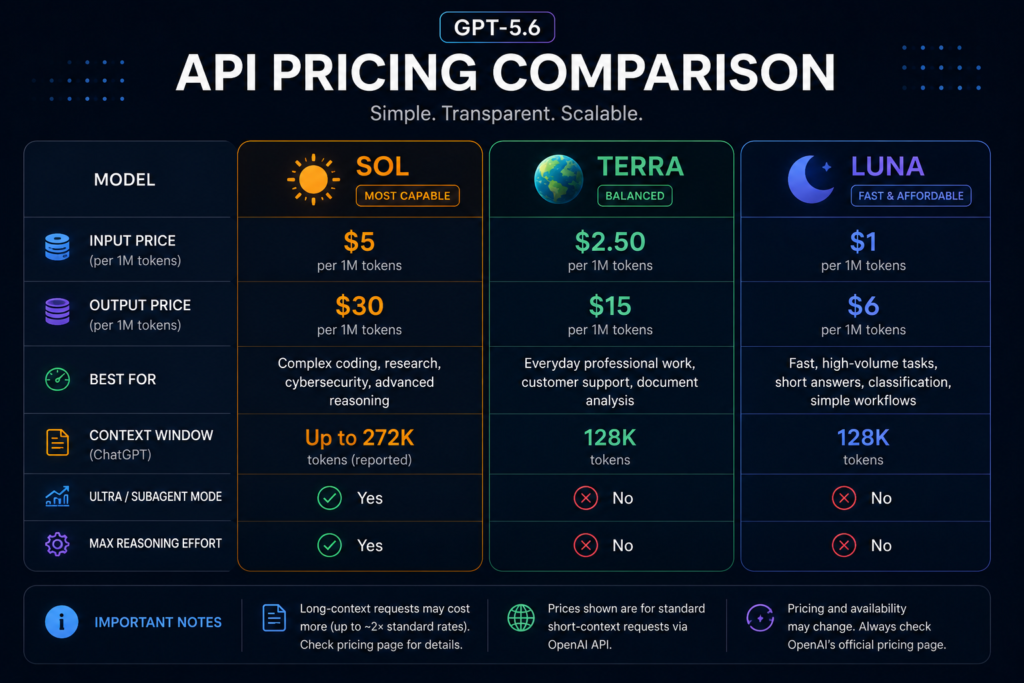
( Please Verify official Price ,its change any time. )
| Feature | Sol | Terra | Luna |
|---|---|---|---|
| Best for | Complex coding, research, cybersecurity | Everyday professional work | Fast, high-volume tasks |
| API price (per 1M tokens) | $5 input / $30 output | $2.50 input / $15 output | $1 input / $6 output |
| Ultra / subagent mode | Yes | No | No |
| Max reasoning effort setting | Yes | No | No |
| Context window in ChatGPT | Up to 272K tokens (reported) | 128K tokens | 128K tokens |
| Available on Free ChatGPT plan | No | Limited, in Work/Codex only | Limited, in Work/Codex only |
| Available on Plus and above | Yes (Medium/High/Extra High) | Yes | Yes |
A note on context window figures: You’ll see different numbers reported for GPT-5.6’s context window depending on the source — some developer pages cite around 1 million tokens for API use, while OpenAI’s own ChatGPT help documentation lists smaller working windows (128K for Terra/Luna, 272K for Sol) inside the ChatGPT product itself. This isn’t necessarily a contradiction — API context limits and the practical context available inside a chat interface are commonly different, since ChatGPT reserves space for system instructions, memory, and tool use. But because these figures don’t fully line up across sources at the time of writing, treat any single specific number with some caution and check OpenAI’s current developer docs before relying on it for a production build.
Benefits
- Real cost savings for teams that route tasks intelligently. Because pricing scales sharply across the three tiers, a workflow that sends most traffic to Terra or Luna and reserves Sol for hard problems can cost meaningfully less than running everything through a single top-tier model.
- Noticeably better at long, multi-step coding tasks. Independent testers cited in early coverage described GPT-5.6 as more reliable for everyday coding work than some competing models, even when a rival model scored higher on raw intelligence in their view.
- Stronger defensive security use. Security teams get a model explicitly tuned to help find and patch vulnerabilities, with OpenAI stating it intentionally kept the model better at defense than offense in testing.
- More predictable API costs. The updated prompt caching system, with a guaranteed 30-minute cache life, makes cost forecasting easier for teams running repeated queries against the same context.
- ChatGPT Work adds real utility for non-developers. For people who aren’t writing code, ChatGPT Work extends GPT-5.6 into document creation, spreadsheets, and presentations, running across desktop and (eventually) web.
Limitations
To be fair to readers, here’s what GPT-5.6 does not solve:
- Rollout has been messy. In the first week after general availability, many users reported not seeing GPT-5.6 in their model picker, tied to outdated app versions, staged regional rollout, or workspace settings rather than an actual outage. If you don’t see it yet, updating your app first is the most common fix.
- Free tier access is limited. Free ChatGPT users mostly stay on GPT-5.5 Instant for regular chat. GPT-5.6 access in the free tier is largely restricted to the newer Work and Codex surfaces, and even there it’s the smaller Terra model, not Sol.
- Slightly increased risk of overstepping instructions. OpenAI’s own system card reports that GPT-5.6 shows a somewhat greater tendency than GPT-5.5 to take actions the user didn’t explicitly ask for during agentic coding tasks — though the company describes the absolute rate as low. Worth knowing if you’re giving it broad autonomy on real systems.
- No confirmed native image generation. If your workflow depends on generating images directly from the same model, GPT-5.6 doesn’t currently do that.
- Long-context pricing is significantly higher. Some pricing pages list roughly double the standard rate for long-context requests, so heavy long-document users should check current rates before assuming the headline price applies to their use case.
- Government-linked release history may concern some users and businesses. Whether or not it affects performance, some organizations may have policy reasons to wait and watch how the government review process evolves before adopting a newly reviewed frontier model.
Real-World Examples
Early public reactions give a decent sense of how the model performs outside OpenAI’s own benchmarks. Pietro Schirano, CEO of MagicPath AI, described it on social media as the best model he’s used after months of testing, calling it fast, capable, and creative. Theo Browne, who runs the chatbot platform T3 Chat, said Sol stood out specifically for computer-use tasks and noted he noticeably missed it during the brief period when access was restricted.
Not everyone is fully sold on it being the smartest model available. Dan Shipper, CEO of the software company Every, compared GPT-5.6 to a reliable everyday car versus a rival model he described as feeling more like a “warp drive” for extremely hard problems — meaning his take is that GPT-5.6 is the better choice for typical daily work, while a competitor may edge it out on the hardest possible tasks. That kind of nuanced, split reaction is a more trustworthy signal than a single glowing quote, since it shows real people weighing tradeoffs rather than declaring an outright winner.
Use Cases
- Software teams doing multi-file refactors, debugging across repositories, or automated code review — Sol with Ultra mode is aimed squarely at this.
- Security teams running threat modeling, code audits, or simulated attacks on their own systems to find weak points before real attackers do.
- Customer support and internal tools that need solid quality without paying flagship pricing — a good fit for Terra.
- High-volume, simple tasks like tagging, sorting, quick summarization, or basic chat features — Luna is built for this kind of throughput.
- Non-technical office work — drafting reports, building spreadsheets, or putting together presentations through ChatGPT Work, which connects to files and apps you already use.
- Long-document analysis, such as reviewing lengthy contracts or research papers, where a larger context window helps the model keep track of the whole document instead of losing earlier details.
Pricing
(please verify official price , its change any time )
Based on OpenAI’s published API pricing at launch, standard short-context rates per 1 million tokens are:
- Sol: $5 input / $30 output
- Terra: $2.50 input / $15 output
- Luna: $1 input / $6 output
Some sources report higher pricing for long-context requests (roughly double the standard rate), but this figure appears in secondary reporting rather than OpenAI’s primary pricing page as of this writing, so treat it as likely but not fully confirmed, and check OpenAI’s live pricing page before budgeting around it.
For ChatGPT subscribers, access depends on plan:
- Free: GPT-5.5 Instant in regular chat; limited Terra access in ChatGPT Work and Codex
- Go: Similar to Free, with limited Terra access in agent surfaces
- Plus ($20/month): Sol available in chat at Medium and High reasoning; full model choice in Work and Codex
- Pro ($100+/month): Adds Extra High reasoning and Sol Pro, plus higher usage limits
- Business and Enterprise: Broad access with admin-controlled settings and workspace-level usage policies
Pricing and access details can shift as the rollout continues, so it’s worth double-checking OpenAI’s official pricing page before making a purchasing decision.
Alternatives
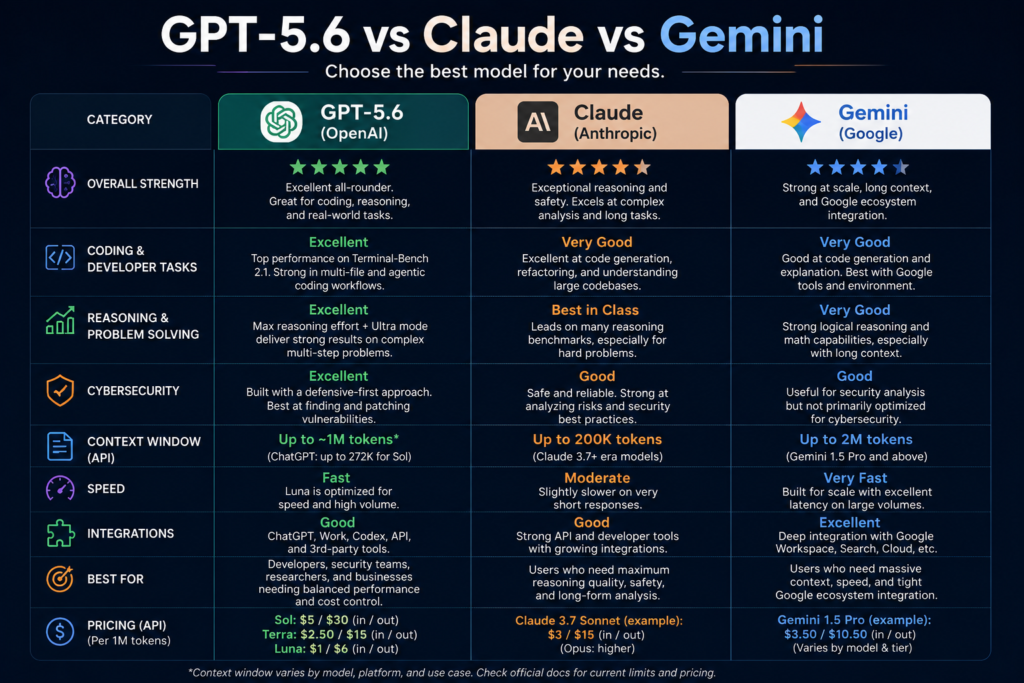
GPT-5.6 isn’t launching into an empty field. The most relevant competitors right now:
- Anthropic’s Claude models (Fable 5, Mythos 5, Opus 4.8) — Some early testers rate Claude’s top models higher on raw reasoning for the hardest problems, while rating GPT-5.6 as more consistently reliable for everyday work. Worth trying both if you’re choosing between them for a specific job rather than assuming one is universally better.
- Google Gemini — Historically strong on very large context windows and tightly integrated with Google’s own products (Docs, Sheets, Search), which matters if your workflow already lives in that ecosystem.
- Meta AI and other competitors — Meta and other companies released updated models in the same general window as GPT-5.6, part of a broader wave of frontier model releases this summer. If you’re comparing options, it’s worth checking what’s current rather than relying on older reviews, since this space moves fast.
There’s no single “best” answer here — it depends heavily on whether your priority is raw reasoning power, cost efficiency, coding reliability, or integration with tools you already use.
My Personal Exprience
GPT-5.6 is a genuine, practical upgrade rather than a flashy rebrand — the three-tier pricing structure alone makes it easier to control costs than OpenAI’s older naming system did. Sol’s coding and cybersecurity focus looks like a real strength based on both OpenAI’s own testing and outside reactions, and Terra looks like a smart default for teams that don’t need flagship-level reasoning on every request.
That said, I wouldn’t call this launch clean. The staged rollout has genuinely confused users, free-tier access remains limited, and OpenAI’s own safety data flags a slightly higher tendency for the model to act beyond what was asked during coding tasks. None of that is disqualifying, but it’s real, and it’s the kind of detail that gets buried in launch-week enthusiasm.
If you’re a developer or a business already inside the OpenAI ecosystem, GPT-5.6 is worth adopting, especially if you set up task routing across the three tiers instead of defaulting everything to Sol. If you’re a casual user on the free plan, you likely won’t feel much difference yet, since most of what’s new is gated behind paid tiers.
Conclusion
GPT-5.6 matters less because of any single new feature and more because of what it represents: AI companies are now navigating public releases alongside a formal government review process, and that’s likely to keep happening with future frontier models. Setting that context aside, the model itself is a solid, sensibly tiered upgrade — genuinely better at coding and cybersecurity work, more cost-flexible than previous releases, and rough around the edges in a normal, first-week-of-launch kind of way. If you use ChatGPT for real work rather than occasional questions, it’s worth spending some time testing Sol and Terra directly rather than trusting any single review, including this one, to make the call for you.
FAQs
1. Is GPT-5.6 available to everyone now?
Yes, as of July 9, 2026, GPT-5.6 is in general availability across ChatGPT, ChatGPT Work, Codex, and the API. However, access still depends on your plan — free users get limited access, mainly through ChatGPT Work and Codex.
2. What’s the difference between Sol, Terra, and Luna?
Sol is the most capable and most expensive, built for hard coding and reasoning tasks. Terra is a balanced, mid-cost option meant to match GPT-5.5’s quality for less money. Luna is the fastest and cheapest, meant for simple, high-volume tasks.
3. Why was GPT-5.6 restricted at first?
OpenAI initially limited access to a small group of government-approved organizations, following a U.S. executive order asking AI companies to submit powerful models for government cybersecurity review before public release. That restriction was lifted after additional testing.
4. Is GPT-5.6 better than GPT-5.5?
For coding and agentic tasks, OpenAI’s benchmarks and early independent testing suggest yes, particularly for Sol. Whether it’s worth switching depends on your use case — Terra offers similar quality to GPT-5.5 at a lower price, which may matter more to some users than raw performance gains.
5. Does GPT-5.6 generate images?
Not natively, as of this launch. It accepts image input (vision) but OpenAI has not announced built-in image generation for the GPT-5.6 family.
6. How much does GPT-5.6 cost through the API?
Standard pricing per million tokens is $5 input / $30 output for Sol, $2.50 input / $15 output for Terra, and $1 input / $6 output for Luna. Long-context requests may cost more; check OpenAI’s current pricing page for confirmation.
7. Is GPT-5.6 free users’ best option, or should I upgrade?
If you use ChatGPT occasionally for simple questions, the free plan with GPT-5.5 Instant is likely fine for now. If you rely on it for coding, research, or daily professional work, Plus ($20/month) is the entry point where you actually get Sol in regular chat.
External authoritative sources to reference:
- OpenAI’s official GPT-5.6 launch post (openai.com)
- OpenAI’s GPT-5.6 system card / deployment safety hub
- OpenAI Help Center pages on GPT-5.6 access and ChatGPT plan limits
- Reporting from Axios, TechCrunch, and CNBC covering the launch and government review process
Read Also….
ChatGPT vs. Claude vs. Gemini: The Complete 2026 Comparison Guide
Perplexity AI July 2026 Update: Everything You Need to Know
ChatGPT Review 2026: Features, Pricing, Pros, Cons & Is It Worth It?
Top 12 AI Tools Every Student Needs in 2026 (Free & Paid, Fully Tested)

Hey, I’m Manish
I’ve tested 100+ AI tools since 2023 and reviewed them honestly on ZentroAI.
My mission: Help you discover the best AI tools without the hype.
Whether you need ChatGPT alternatives, coding assistants, or image generators .
you’ll find detailed, hands-on reviews here.






1 thought on “OpenAI GPT-5.6 Launch: Everything You Need to Know”