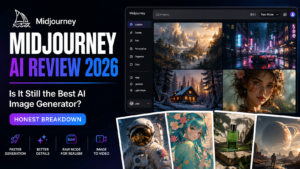
Midjourney AI Review :
Introduction
If you’ve spent any time on Twitter, Instagram, or Reddit over the past couple of years, chances are you’ve stopped mid-scroll to stare at an image that looked almost too good to be real — dramatic lighting, painterly detail, a composition that feels like it belongs in a gallery rather than a chat window. More often than not, that image came from Midjourney.
But “everyone’s talking about it” isn’t a good enough reason to hand over your credit card. In this review, I’m going to walk through what Midjourney actually is, how it works in 2026, what it costs, where it shines, where it genuinely falls short, and whether it’s worth your money compared to the growing pile of AI image tools competing for your attention. No fluff, no recycled marketing copy — just a practical look based on how the tool actually behaves today.
What Is Midjourney, Exactly?
Midjourney is an AI-powered image generation tool that turns written text prompts into original images. Type a description — say, “a cozy cabin in a snowy forest at golden hour, cinematic lighting” — and within seconds, the AI produces a set of images matching that description. It’s built and operated by an independent research lab of the same name, and it has become one of the most recognizable names in the “text-to-image” AI category, alongside tools like DALL-E and Stable Diffusion.
What sets Midjourney apart isn’t raw technical horsepower — several competitors can claim similarly impressive specs on paper. It’s the aesthetic. Midjourney has a distinct visual signature: rich color grading, strong composition, and an almost cinematic quality that makes even a quick, lazy prompt look intentional. That’s a big part of why it’s remained a favorite among designers, marketers, hobbyist artists, and content creators who care about how an image feels, not just what it technically depicts.
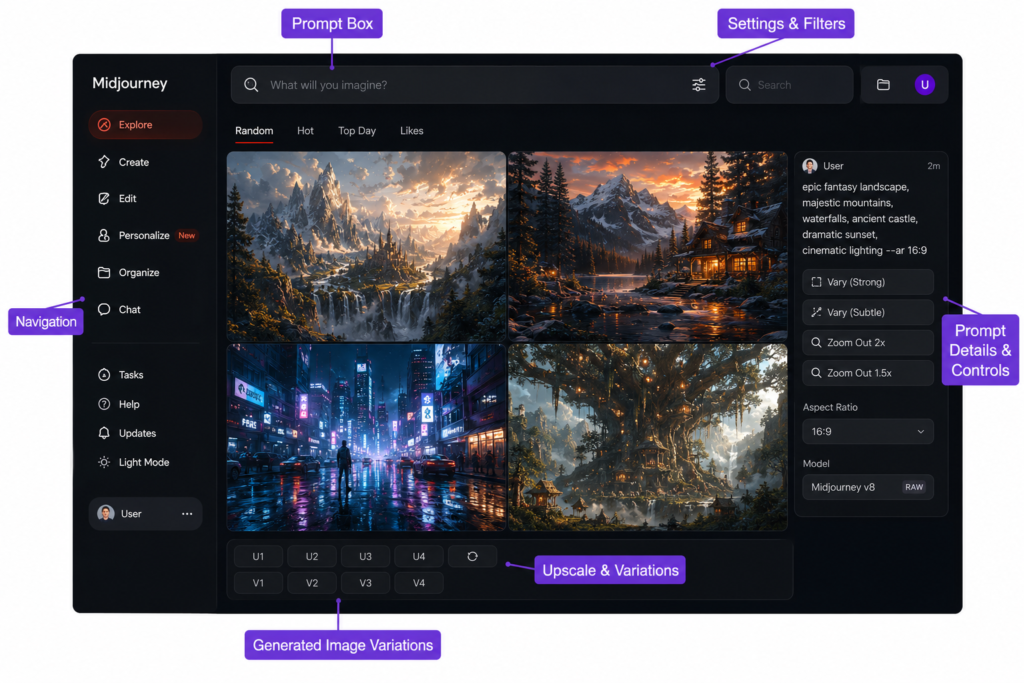
Originally, Midjourney only worked inside Discord, which confused a lot of first-time users. That’s changed — there’s now a proper web interface where you can generate, organize, and edit images without touching Discord at all, though the Discord bot is still around for people who prefer it.
How Midjourney AI Has Evolved Going Into 2026
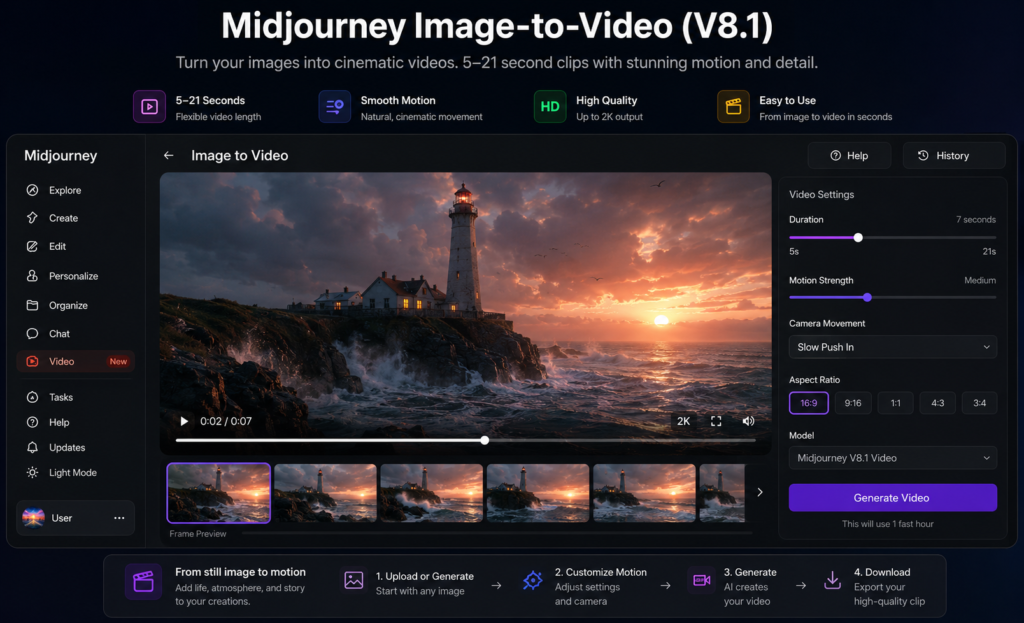
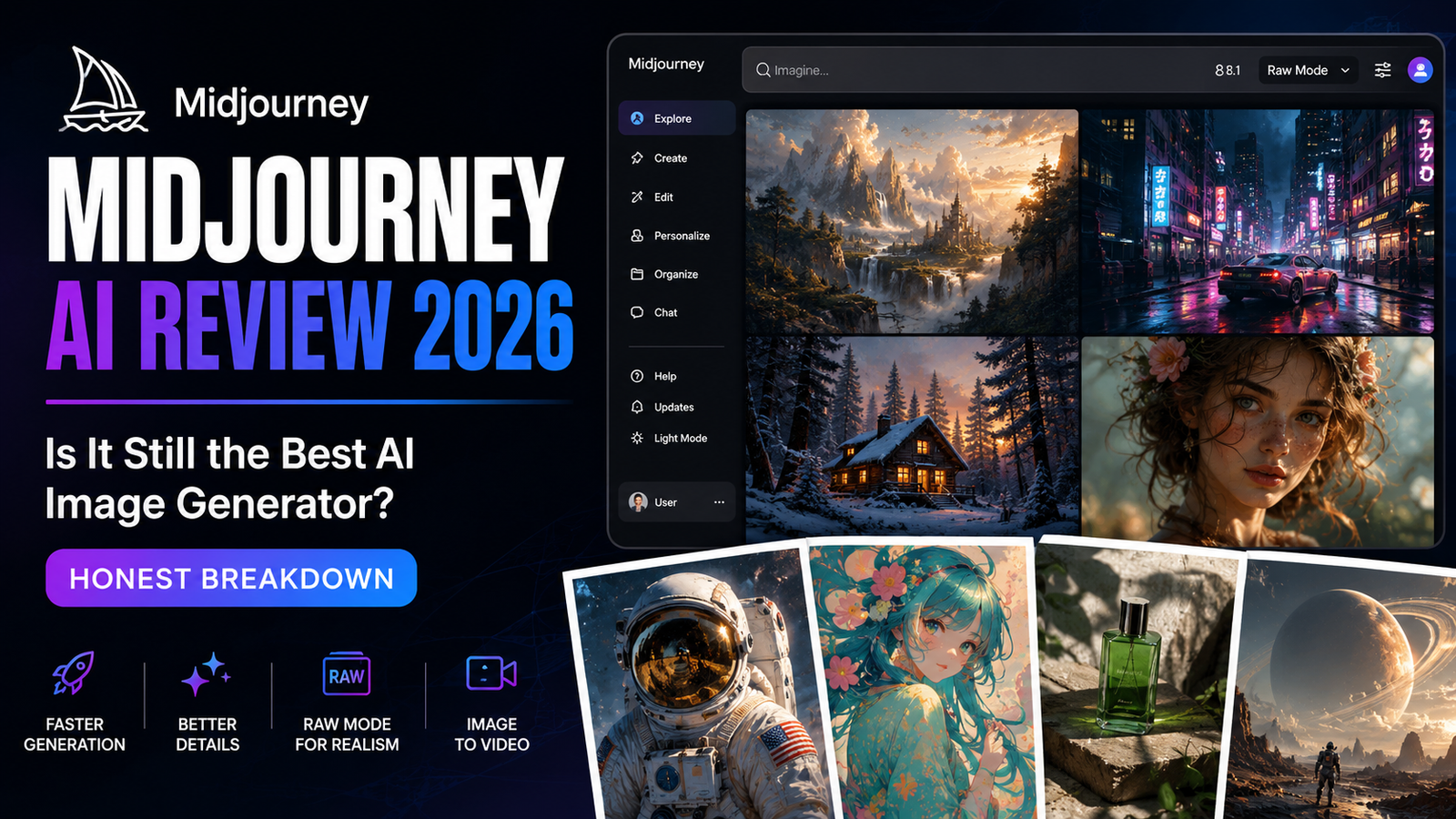
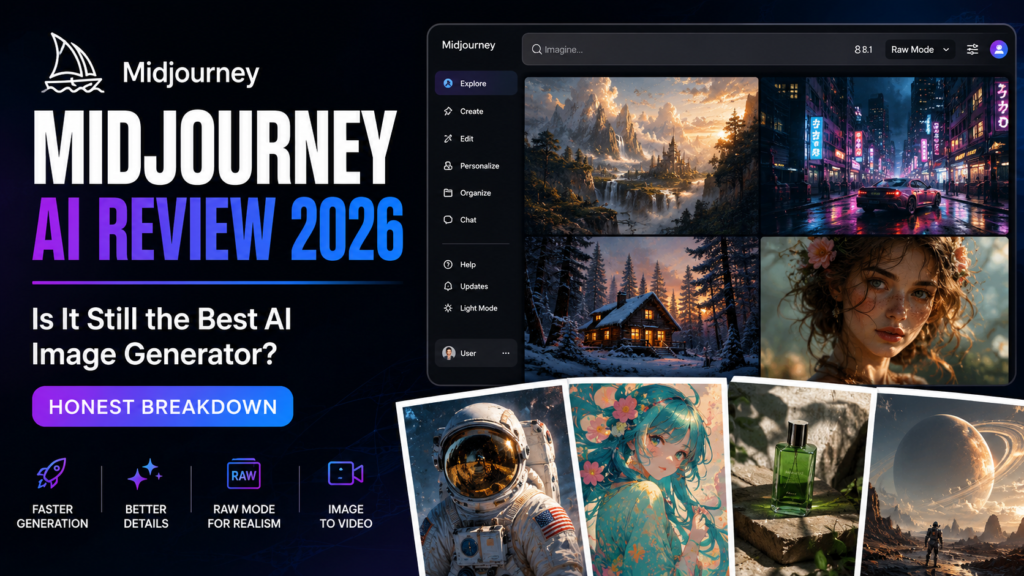
Midjourney doesn’t sit still. The model has gone through several major version jumps, and the most recent update — version 8.1 — rolled out in the spring of 2026, building on the version 8 line with faster image generation, better understanding of complex prompts, sharper retention of small details (hands, text, fine textures), support for HD 2K image output, and a “Raw mode” for people who want less stylization and more literal, camera-like realism.
Not every account defaults to the newest model automatically — some users are still generating on earlier versions depending on their personalization settings — but the direction is clear: each release pushes toward faster generation, tighter prompt accuracy, and more creative control.
Midjourney has also expanded beyond still images. It now supports image-to-video generation, letting you animate a still image into a short video clip, starting around five seconds and extendable up to roughly 21 seconds. It’s not a full video production suite, and creators doing longer or more complex video work still typically pair Midjourney with dedicated video-generation tools, but it’s a meaningful step beyond “just pictures.”
Features
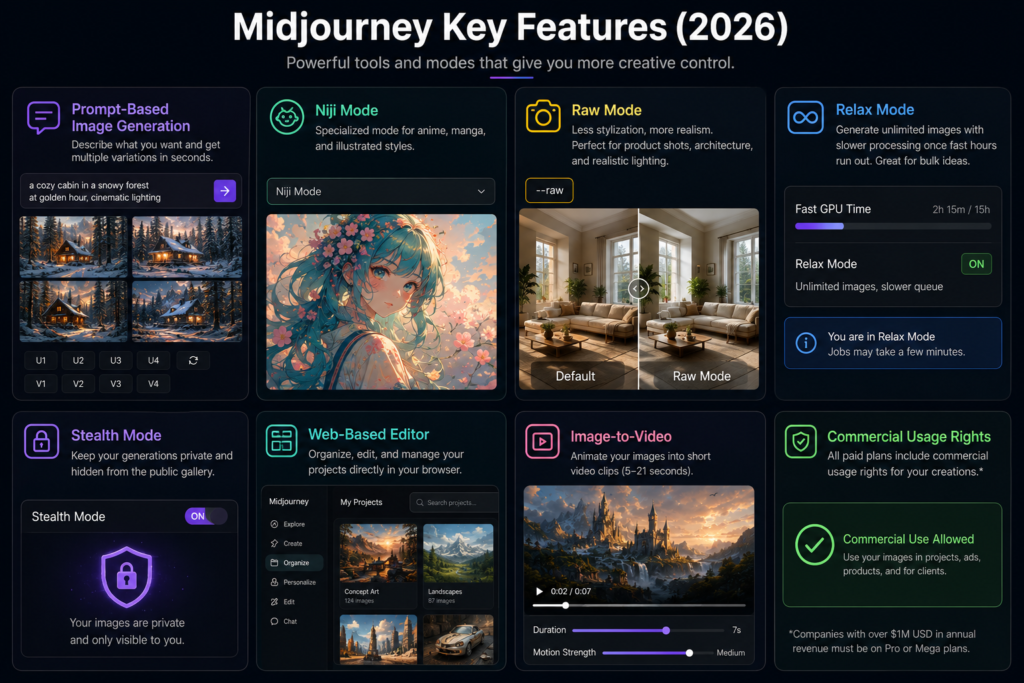
Prompt-based image generation. The core function — describe what you want, get back multiple variations to choose from, refine, upscale, or remix.
Niji mode. A specialized mode tuned specifically for anime and illustrated art styles, popular with manga fans and character artists.
Raw mode. Strips away some of Midjourney’s default stylization for a more neutral, realistic look — useful for product mockups, architectural concepts, or realistic lighting studies.
Relax Mode. Available on Standard plans and above, this lets you generate unlimited images with slower processing times, which is great for bulk experimentation without burning through your paid generation time.
Stealth Mode. Keeps your generations private, hidden from Midjourney’s public community gallery. This one matters a lot if you’re doing client work or anything you’d rather not have publicly searchable.
Web-based editor. You can now organize projects, generate, and lightly edit images entirely through a browser dashboard, no Discord required.
Commercial usage rights. Every paid subscription tier includes rights to use generated images commercially, with one caveat covered in the FAQ below.
Pricing
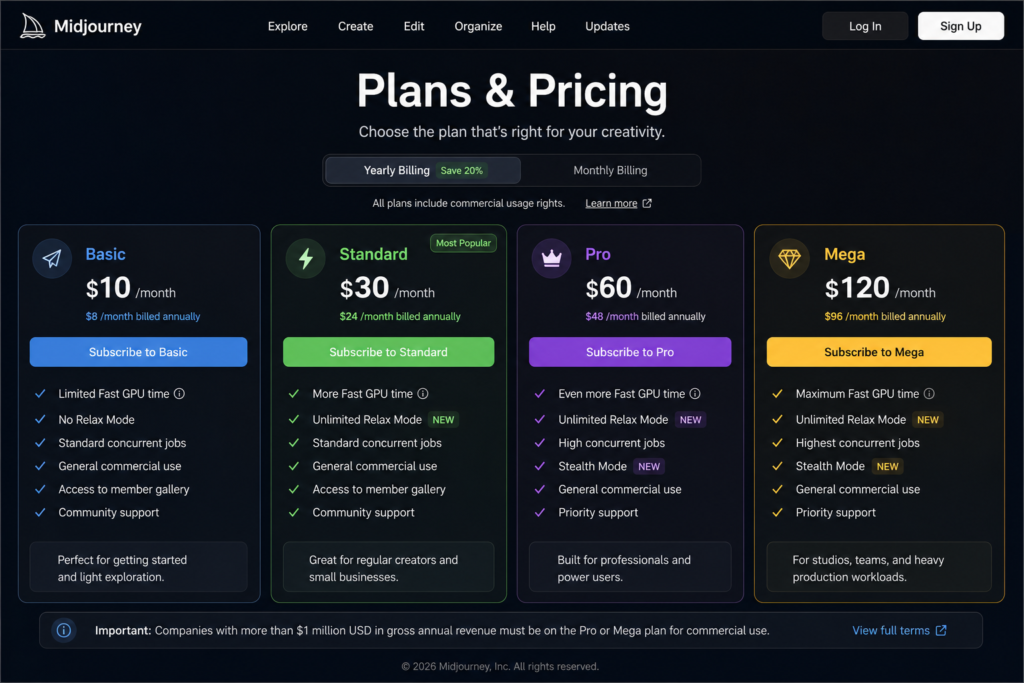
This is where a lot of people get tripped up, so let’s be direct about it. Midjourney runs entirely on a subscription model — there’s no free plan and no free trial (that ended back in 2023 after some misuse issues). If you want to try it, you’re paying from day one.
There are four subscription tiers:
- Basic — $10/month (or $8/month billed annually)
- Standard — $30/month (or $24/month billed annually)
- Pro — $60/month (or $48/month billed annually)
- Mega — $120/month (or $96/month billed annually)
Here’s the part that confuses new users: you’re not buying a fixed number of images. You’re buying Fast GPU hours — a chunk of high-speed processing time each month. The Basic plan gives you a limited amount of fast time and no access to Relax Mode, which means once you burn through your fast hours, you’re stuck waiting or paying for more. Standard and higher plans unlock unlimited Relax Mode, so once your fast hours run out, you can keep generating — just slower (anywhere from a couple of minutes to significantly longer during busy periods).
Pro and Mega add Stealth Mode for private generations, higher concurrency (meaning more images generating at once), and considerably more fast GPU time for heavy or professional workloads.
One important detail: unused fast hours don’t roll over. They reset every billing cycle, whether you’re on a monthly or annual plan, so there’s no benefit to “stockpiling” time.
If your company earns more than $1 million in gross annual revenue, Midjourney’s terms require you to be on the Pro or Mega plan for commercial use — something worth checking if you’re generating images for a larger business.
For most individual creators, freelancers, and small business owners, the Standard plan at $30/month tends to be the sweet spot: enough fast hours for regular work, plus unlimited Relax Mode as a safety net.
How to Use
Getting started is simpler than the pricing structure might suggest:
- Pick a subscription plan on Midjourney’s website and complete signup.
- Choose whether you want to work through the web-based interface or the Discord bot.
- Type a text prompt describing the image you want — the more specific and descriptive, the better your results.
- Midjourney returns a grid of image variations based on your prompt.
- From there, you can upscale a favorite, generate more variations of it, or tweak your prompt and try again.
- Use parameters (short prompt commands) to control aspect ratio, style intensity, and other technical details.
The biggest learning curve isn’t the interface — it’s prompting. Vague prompts like “a dog” produce generic results. Specific prompts with details about lighting, mood, camera angle, art style, and composition (“a golden retriever sitting on a porch at sunset, soft warm lighting, shallow depth of field, photorealistic”) consistently produce far better output. Expect to spend your first few sessions just learning how Midjourney “thinks” about language.
The Pros
Best-in-class image aesthetics. This is still Midjourney’s biggest selling point. Even average prompts tend to produce visually striking results, thanks to how the model handles lighting, color, and composition by default.
Strong at complex, stylized scenes. Fantasy art, concept art, editorial-style photography, atmospheric landscapes — this is Midjourney’s home turf.
Active, huge community. With a massive user base on Discord and Reddit, there’s no shortage of prompt guides, style references, and troubleshooting help from other users.
Meaningful improvements to accuracy. Earlier versions struggled famously with hands, text within images, and fine detail. Recent versions have made real, noticeable progress on all three.
Commercial rights included. You don’t need a separate enterprise license just to use your images in client work or products, as long as you’re within the revenue threshold on the right plan.
The Cons
No free trial, ever. You’re committing money before you know if it fits your workflow. That’s a real barrier for casual or curious users.
Confusing pricing model. GPU hours instead of a simple “images per month” count trips up a lot of new subscribers, and it takes a billing cycle or two to really understand your own usage pattern.
No official public API. Businesses wanting to integrate Midjourney directly into their own apps or automated workflows are out of luck through official channels; only unofficial third-party wrappers exist, and those carry their own reliability and terms-of-service risks.
Discord dependency (for some workflows). While the web app has closed this gap significantly, some advanced community features and older habits are still tied to Discord, which isn’t everyone’s preferred environment.
Learning curve on prompting. To get consistently excellent results, you need to invest real time learning how to write effective prompts — this isn’t a “type three words and get a masterpiece” tool for everyone right out of the gate.
Competitors
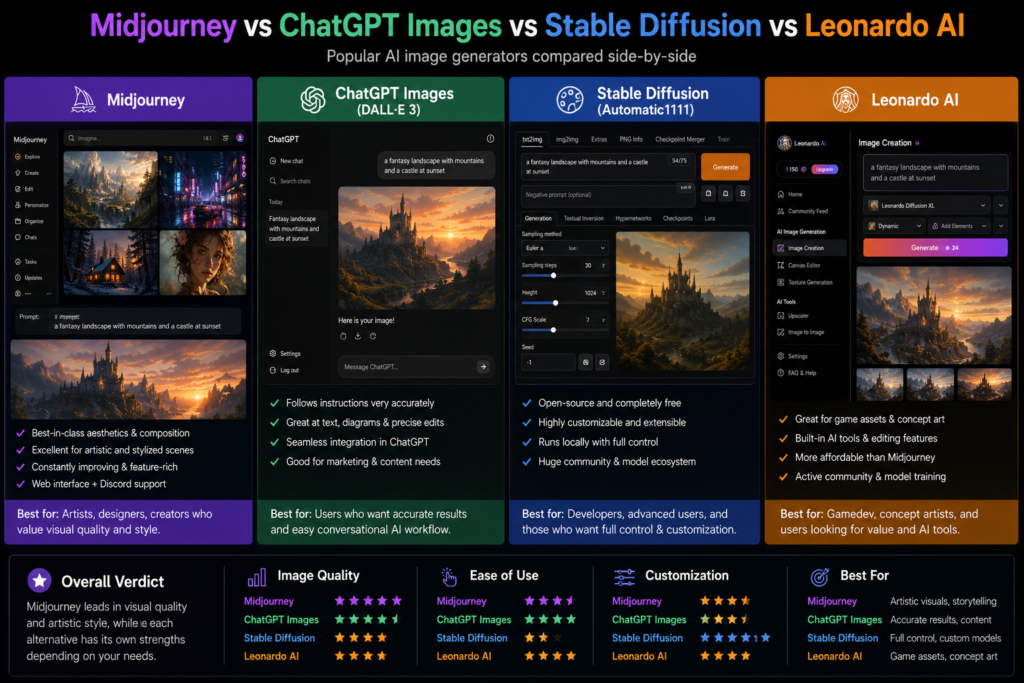
It’s worth being honest: Midjourney is no longer the only serious player in this space, even if it’s still widely considered the aesthetic leader.
DALL-E 3 (via ChatGPT) tends to follow instructions more literally and integrates smoothly if you’re already inside the ChatGPT ecosystem, making it a strong pick for people who want precise, editable results without learning a whole new prompting language.
Stable Diffusion is open-source and free to run locally, which appeals to developers and technically inclined users who want full control and no subscription fee — at the cost of a steeper technical setup.
Leonardo AI positions itself as a budget-conscious alternative, often priced well below Midjourney’s Standard tier, with solid results for game assets and concept art.
Newer entrants in the image-generation space have also picked up ground on specific strengths like text rendering inside images or photorealistic editing, so it’s worth occasionally comparing outputs side-by-side for your specific use case rather than assuming one tool wins at everything.
The honest takeaway: if your priority is pure visual polish and artistic quality, Midjourney remains extremely hard to beat. If your priority is precise instruction-following, budget, or open-source flexibility, it’s worth cross-shopping.
Best Users
- Content creators and bloggers who need eye-catching featured images, thumbnails, or social graphics without hiring a designer for every post.
- Freelance designers and small studios who want to speed up concept exploration and moodboarding before committing to final creative direction.
- Marketers producing campaign visuals, ad creative, or product concept art on a tighter budget than traditional photography or illustration.
- Hobbyist artists and worldbuilders working on personal projects, book covers, or fictional universes who want fast visual references.
- Game developers generating character concepts, environment art, and mood pieces during early production.
If you only need the occasional image and don’t plan to use it regularly, the lack of a free trial makes Midjourney a harder sell — you might be better served trying a free tool first to see if AI image generation even fits how you work, before paying for the extra polish Midjourney offers.
Tips
Be specific about lighting and mood (“soft overcast light” vs. “dramatic backlighting”) — this single change often has more visual impact than almost any other prompt adjustment.
Reference art styles or mediums when relevant (“oil painting,” “35mm film photography,” “isometric illustration”) to steer the overall look.
Use Raw mode when you want something closer to a realistic photograph rather than Midjourney’s naturally stylized default look.
Don’t be afraid to generate several rounds — even experienced users rarely get their ideal image on the very first attempt.
Keep an eye on your Fast GPU hours if you’re on Basic or Standard, and shift bulk or non-urgent generations into Relax Mode to stretch your subscription further.
Verdict
Midjourney earns its reputation. In 2026, it remains one of the most capable and visually impressive AI image generators available, and the steady stream of updates — faster generation, sharper detail retention, image-to-video support — shows a tool that’s still actively improving rather than coasting on its early reputation.
That said, it’s not the right fit for everyone. The absence of a free trial, the somewhat confusing GPU-hour billing system, and the lack of an official API are legitimate friction points, especially for casual users or developers wanting deeper integration. If image quality and artistic polish are what matter most to you, and you’re comfortable paying a monthly subscription to get there, Midjourney is easy to recommend. If you’re price-sensitive, need an API, or want to test the waters before spending anything, it’s worth trying a free alternative first and treating Midjourney as the “upgrade” once you know AI image generation fits your workflow.
FAQ
Is Midjourney free to use?
No. Midjourney does not currently offer a free plan or free trial. The cheapest way to access it is the Basic plan at $10/month, or $8/month if you pay annually.
What is the cheapest Midjourney plan?
The Basic plan is the cheapest at $10/month (or $8/month billed annually), though it doesn’t include Relax Mode, so heavier users tend to outgrow it quickly.
Which Midjourney plan is best for beginners?
Most reviewers and long-time users recommend the Standard plan at $30/month for most individual creators, since it includes unlimited Relax Mode once your fast hours run out, giving you room to experiment without hitting a hard wall.
Can I use Midjourney images commercially?
Yes, all paid subscription plans include commercial usage rights for images you generate. The one exception is that companies earning more than $1 million in gross annual revenue are required to be on the Pro or Mega plan to use Midjourney commercially.
Does Midjourney have an official API?
No, Midjourney does not currently offer a public, official API. You access it through the web interface or the Discord bot. Third-party API wrappers exist, but they are unofficial and may not comply with Midjourney’s terms of service.
Do I need Discord to use Midjourney?
No, not anymore. Midjourney now has its own web-based interface where you can generate, organize, and manage images without ever opening Discord, though the Discord bot is still available if you prefer it.
What happens to unused Fast GPU hours?
They don’t carry over. Fast GPU hours reset at the start of each new billing cycle, regardless of whether you’re on a monthly or annual plan, so there’s no benefit to saving them up.
Is Midjourney better than DALL-E 3 or Stable Diffusion?
It depends on your priorities. Midjourney generally leads on artistic polish and visual atmosphere. DALL-E 3 tends to follow specific instructions more literally and works well inside the ChatGPT ecosystem. Stable Diffusion is free and open-source but requires more technical setup. There isn’t a single “best” — it comes down to what you value most.
Can Midjourney create videos, not just images?
Yes, Midjourney supports image-to-video generation, letting you animate a generated or uploaded image into a short clip, typically starting at around five seconds and extendable up to about 21 seconds. It’s not a full video production tool, so longer or more complex video projects usually still require a dedicated video generator.
What is Stealth Mode and do I need it?
Stealth Mode keeps your image generations private and hidden from Midjourney’s public community gallery. It’s only available on the Pro and Mega plans. If you’re doing client work, sensitive projects, or anything you don’t want publicly visible, it’s worth the higher tier.
How much does the Mega plan cost, and who is it for?
The Mega plan costs $120/month (or $96/month billed annually) and includes the largest amount of fast GPU time, unlimited Relax Mode, Stealth Mode, and high concurrency for running multiple generations at once. It’s aimed at studios, agencies, and power users with heavy, ongoing image or video generation needs.
Is Midjourney worth it in 2026?
For most creators who value image quality over the lowest possible price, yes. Midjourney remains one of the strongest tools available for producing polished, artistic, professional-looking visuals, and it continues to improve with regular updates. If budget or API access is your top priority, it’s worth comparing alternatives before committing.
Pricing and features mentioned in this article reflect Midjourney’s publicly listed plans as of 2026. AI tools update frequently, so it’s always a good idea to check Midjourney’s official pricing page before subscribing.
Read Also….
DeepSeek AI Review 2026: Is the Chinese AI Model Worth Your Time and Data?
Grok AI Review 2026: Is X AI’s Chatbot Worth Your Money?
Top 10 AI Coding Tools in 2026: The Complete Review for US Developers

Hey, I’m Manish
I’ve tested 100+ AI tools since 2023 and reviewed them honestly on ZentroAI.
My mission: Help you discover the best AI tools without the hype.
Whether you need ChatGPT alternatives, coding assistants, or image generators .
you’ll find detailed, hands-on reviews here.