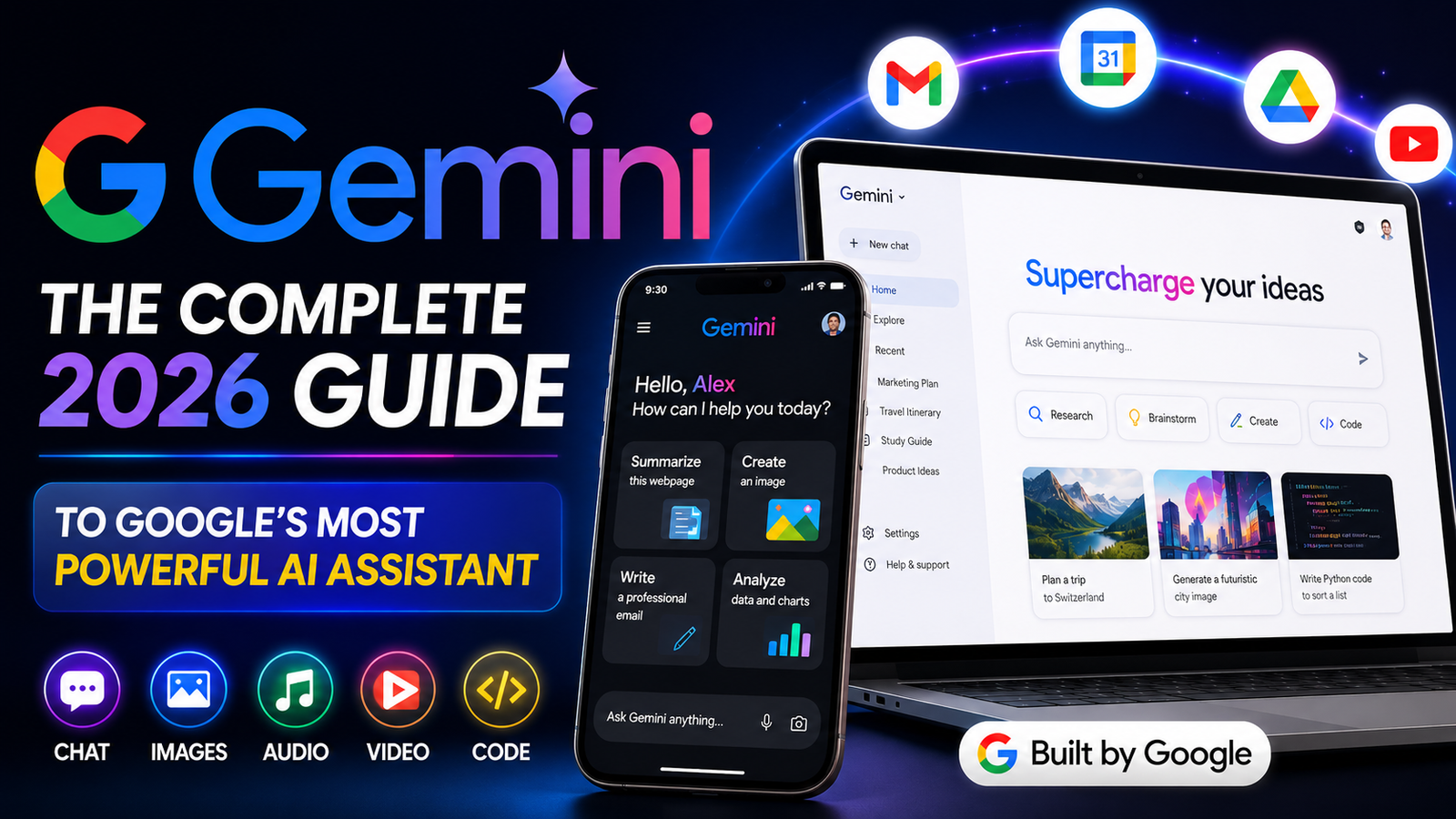
Gemini AI:
Artificial intelligence has changed the way millions of people in the United States work, study, and create every single day, and few names come up as often in that conversation as Gemini AI. Built by Google, Gemini has grown from a simple chatbot experiment into a full ecosystem that touches your phone, your browser, your inbox, and even the apps you use for school and work. If you have ever wondered what Gemini actually is, how it compares to other AI tools like ChatGPT or Claude, and whether it is worth using in 2026, this guide will walk you through everything in plain, easy-to-understand language.
What Is Gemini AI?
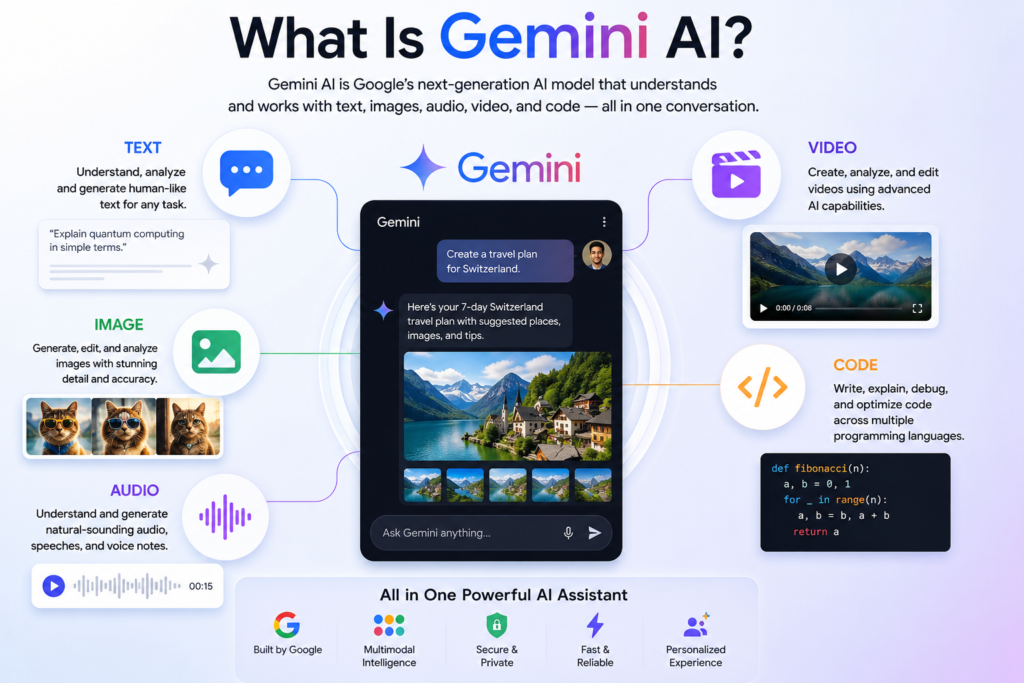
Gemini is Google’s family of artificial intelligence models. Think of it as the “brain” behind a growing number of Google products, including the Gemini app, Gemini in Chrome, Gemini on Android, and several creative tools for generating images, music, and video. Unlike older AI tools that could only respond to text, Gemini was designed from the ground up to be multimodal, which simply means it can understand and work with text, images, audio, video, and even code, all within the same conversation.
What sets Gemini apart in 2026 is that it has moved well beyond being a basic question-and-answer chatbot. Google now describes it as an “agentic” AI, meaning it does not just answer your questions, it can actually take action on your behalf. That could mean booking a reservation, organizing your inbox, summarizing a long webpage, or building a custom shopping cart across multiple online stores, all without you needing to copy and paste information back and forth.
A Quick Look at How Gemini AI Has Evolved.
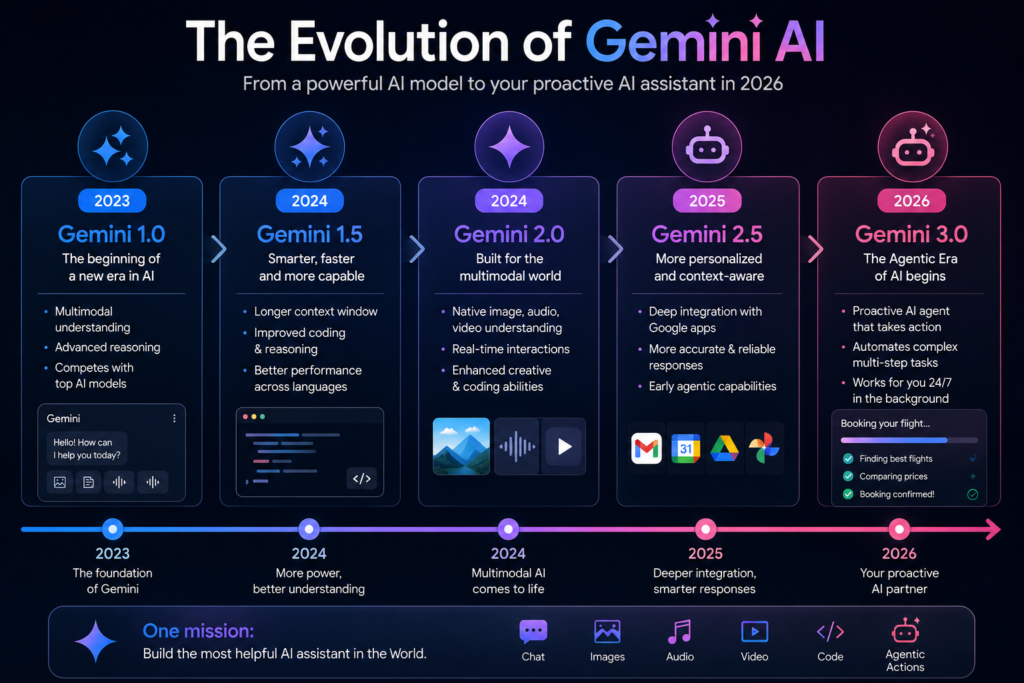
Google first introduced Gemini as a direct answer to the rapid rise of AI chatbots in the market. Over time, the models have gone through several major generations, each one faster, smarter, and more capable than the last. By 2026, Google rolled out a new wave of models built specifically for what it calls the “agentic era” of AI, where assistants do not just chat, they actually complete tasks for you.
Alongside the core Gemini models, Google has also built specialized tools for different kinds of creative work. There is a model dedicated to generating and editing images, another built for producing music clips and full songs, and a video generation system that can combine images, audio, and text into a single polished video. This means that instead of using five different apps for five different creative jobs, many people can now do it all inside one connected Gemini experience.
Key Features That Make Gemini Stand Out
A Smarter, More Personal Assistant
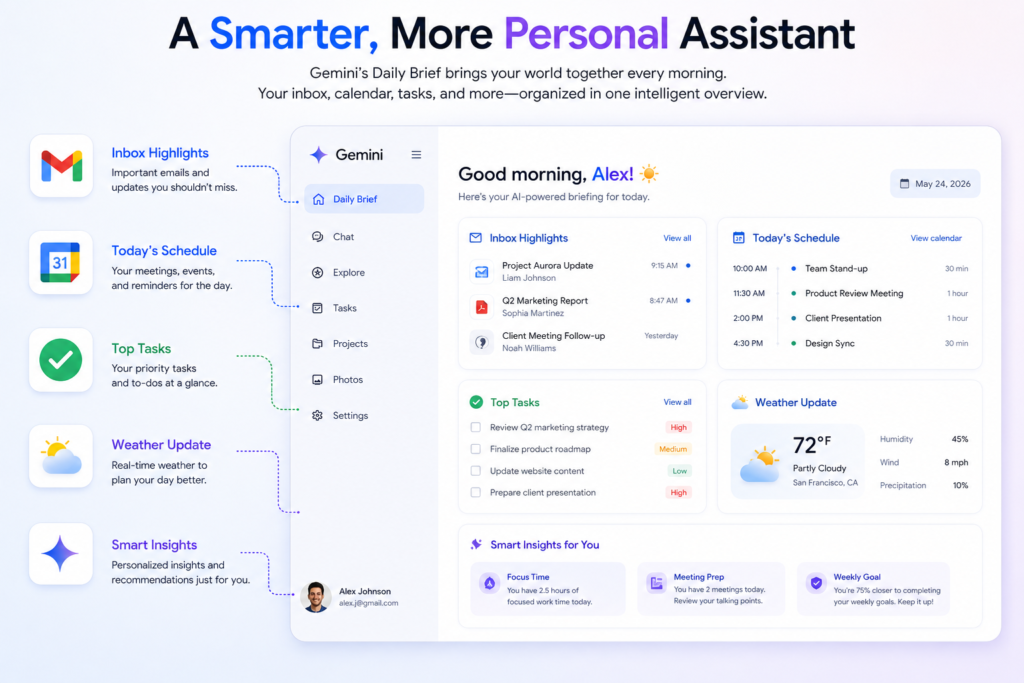
At Google I/O 2026, the company announced that the Gemini app was getting a series of updates, including a “Daily Brief” feature, a redesigned interface, a new AI video model, and a new personal AI agent. The Daily Brief is meant to be the first thing you check each morning, since it pulls together information from a user’s inbox, calendar, and most important tasks and organizes them into one clear overview.
This is a big shift from how most people think of AI chatbots. Instead of having to remember to open an app and ask a question, Gemini increasingly tries to anticipate what you need before you ask for it.
A Proactive Agent, Not Just a Chatbot
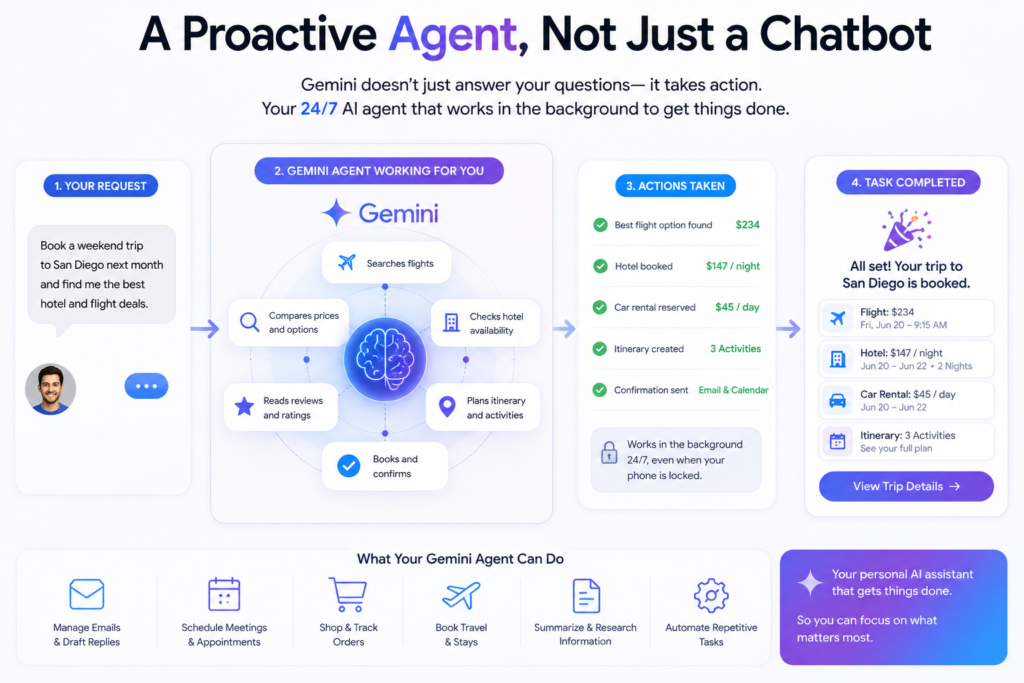
One of the most talked-about additions is a personal AI agent built into the Gemini app. Google describes this agent as a 24/7 personal AI that helps users navigate their digital life, transforming Gemini from a simple assistant into an active partner that does real work on a person’s behalf. Because it runs in the cloud, it keeps working in the background even when your phone is locked, and it lets users build their own custom automated workflows.
In practical terms, this means Gemini can be set up to handle repetitive digital chores, like checking for flight price drops, drafting replies to routine emails, or pulling together research, while you focus on other things.
Multimodal Creativity in One Place
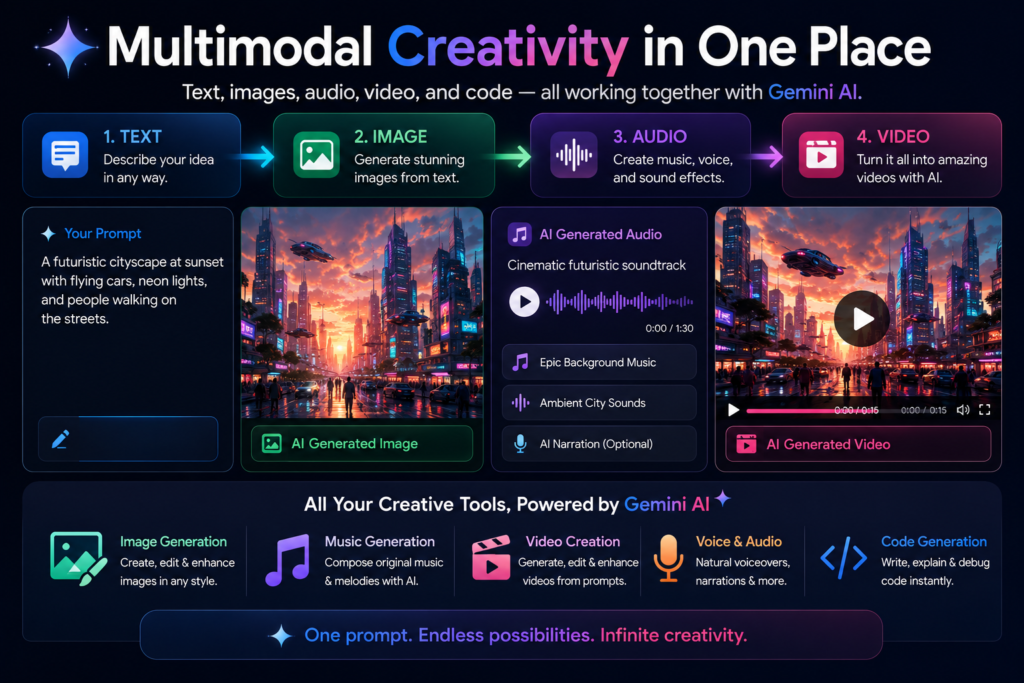
Gemini’s creative tools have also matured significantly. Google’s newest AI video model can combine access to a user’s uploaded audio, images, and video to generate a consistent, high-quality video, all grounded in real-world knowledge from Gemini. So instead of typing a prompt and hoping for the best, you can feed the model your own footage and photos to get results that actually match your vision.
On the image side, Google has continued refining its dedicated image-generation models, improving spelling accuracy inside generated graphics, sharpening fine details, and making the tools more reliable for everyday uses such as posters, social media graphics, and party invitations.
A Redesigned, More Visual Interface
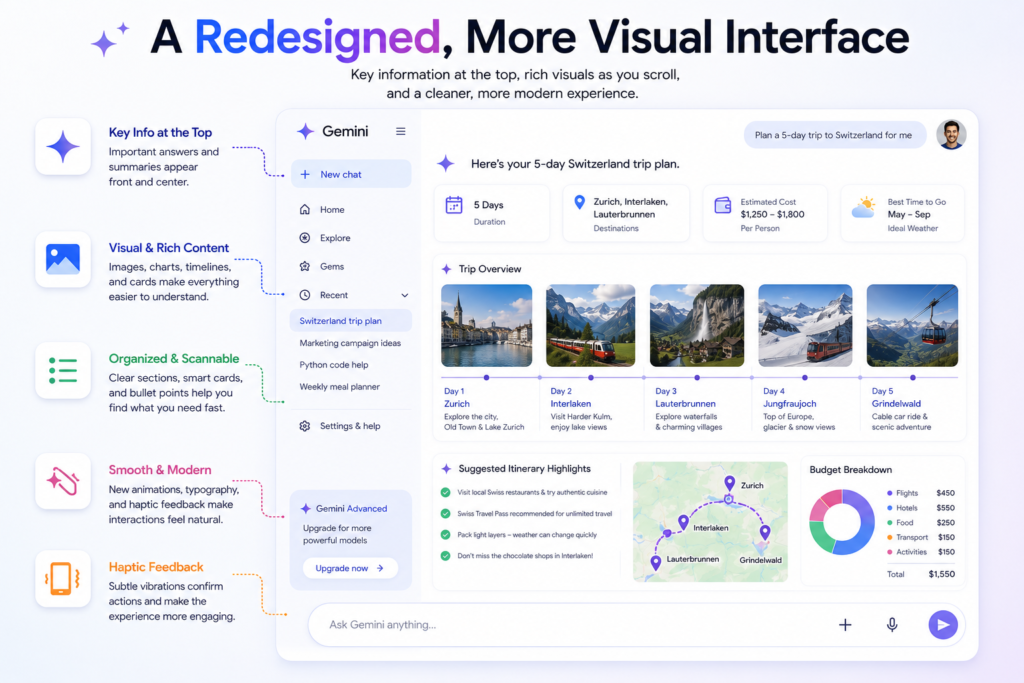
Anyone who has used a typical AI chatbot knows the feeling of scrolling through a giant wall of plain text. Gemini’s newer design tries to fix that. Key information now appears in bold near the top of a response, with supporting text, images, and even timelines appearing as the user scrolls further down, rather than presenting everything as one long block of text. Google has also refreshed the overall look of the app with smoother animations, updated typography, and haptic feedback, making the experience feel less like a search box and more like a modern, polished app.
Gemini AI Beyond the App: Chrome, Android, and Desktop
Gemini is no longer limited to a single app on your phone. It now shows up directly inside the Chrome browser to help summarize articles, compare information across tabs, and fill out long or complicated online forms. On Android devices, a feature called Gemini Intelligence works in the background to automate multi-step tasks like booking a ride, summarizing a webpage, or turning a messy voice memo into a clean, professional message.
There is also a dedicated desktop application for Mac users, which brings the assistant directly onto the desktop instead of requiring a browser tab, cutting down on the constant switching between windows that most people deal with throughout the day.
Bringing Your History From Other Gemini AI Apps
For users who have been using a different AI assistant and want to switch, Google has added tools that let people import personal context, preferences, and even full chat history from other AI apps directly into Gemini. This is done either through a guided prompt-and-summary process or by uploading an exported file of previous conversations, making the switch far less painful than starting from a completely blank slate.
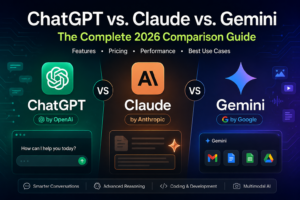
Gemini AI vs. ChatGPT vs. Claude: How Does It Compare?
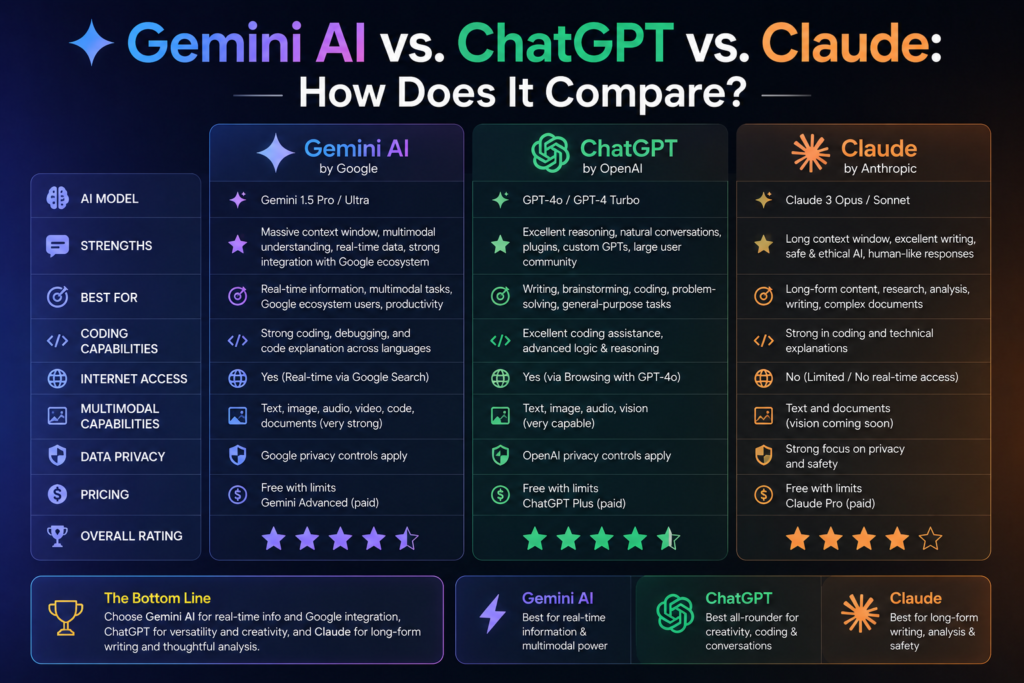
A common question among USA-based users is simple: should I use Gemini, ChatGPT, or Claude? The honest answer is that all three are strong tools, and the best choice often depends on what you already use day to day.
Gemini’s biggest advantage is its deep integration with the Google ecosystem. If your life already runs on Gmail, Google Calendar, Google Photos, Google Drive, and Android, Gemini can plug directly into all of that, since connecting Gemini to Google apps like Gmail, Photos, YouTube, and Search is designed to unlock a more proactive and personalized experience for the user. Google has also been clear that privacy sits at the center of this, noting that connecting your apps is off by default, you choose to turn it on, decide exactly which apps to connect, and can turn it off again at any time.
ChatGPT, built by OpenAI, tends to be praised for its writing style and broad third-party plugin ecosystem, while Claude, built by Anthropic, is often favored by professionals for longer, more careful reasoning and document-heavy work. Gemini, meanwhile, leans into being the assistant that lives everywhere you already are, your phone, your browser, your laptop, and your everyday Google apps, while also offering competitive image, video, and coding capabilities.
For most everyday users in the United States, the decision often comes down to ecosystem. Heavy Google users will likely get more value out of Gemini simply because of how naturally it fits into tools they already rely on.
Who Should Be Using Gemini AI in 2026?
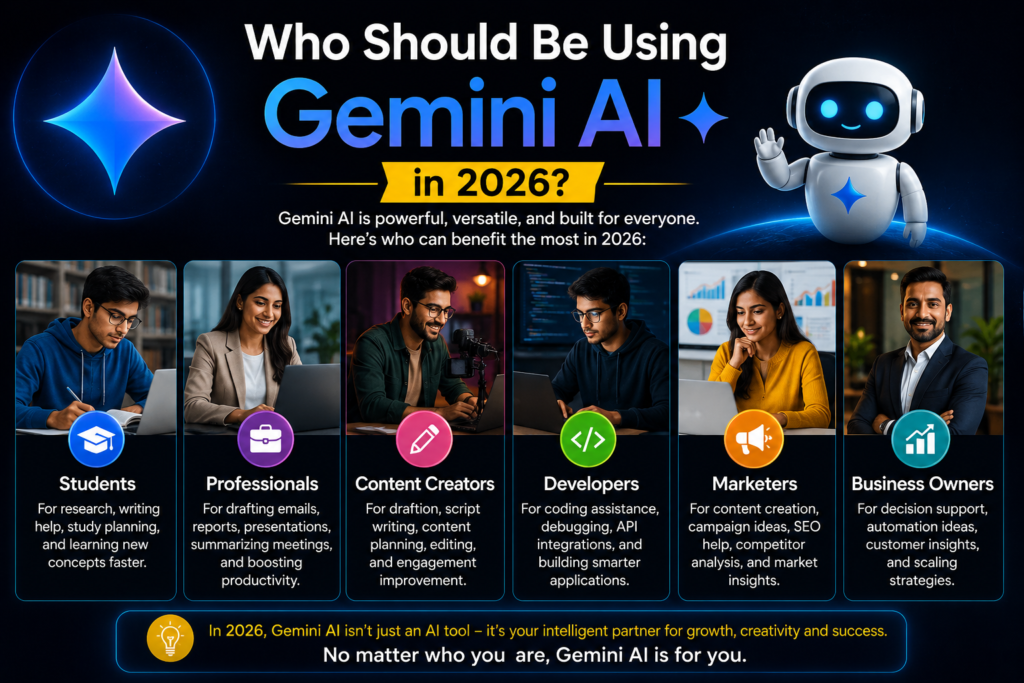
Students
For students, Gemini can act as a study partner that explains complex topics in simple terms, helps organize research, summarizes long readings, and even helps proofread essays. Google has also continued expanding free or discounted access to its more advanced AI plans for college-age students in select countries, recognizing how central AI tools have become to modern coursework.
Professionals and Small Business Owners
Busy professionals can use Gemini’s Daily Brief and proactive agent features to manage their inbox, prepare for meetings, and automate routine digital tasks. Small business owners, who often wear many hats, can lean on Gemini for drafting marketing copy, generating product images, analyzing spreadsheets, and even building simple automated workflows without needing a technical background.
Content Creators
Creators benefit heavily from Gemini’s multimodal tools. Whether it is generating thumbnail images, drafting video scripts, creating background music, or editing raw footage into something more polished, having these tools available inside one connected ecosystem saves significant time compared to juggling multiple separate apps.
Developers
On the technical side, Google continues to expand its developer-facing tools through the Gemini API, including new models optimized specifically for coding and multi-step agentic tasks, along with tools that let developers build and deploy their own autonomous AI agents that can plan, write, and execute code inside secure, isolated environments.
How Much Does Gemini AI Cost?
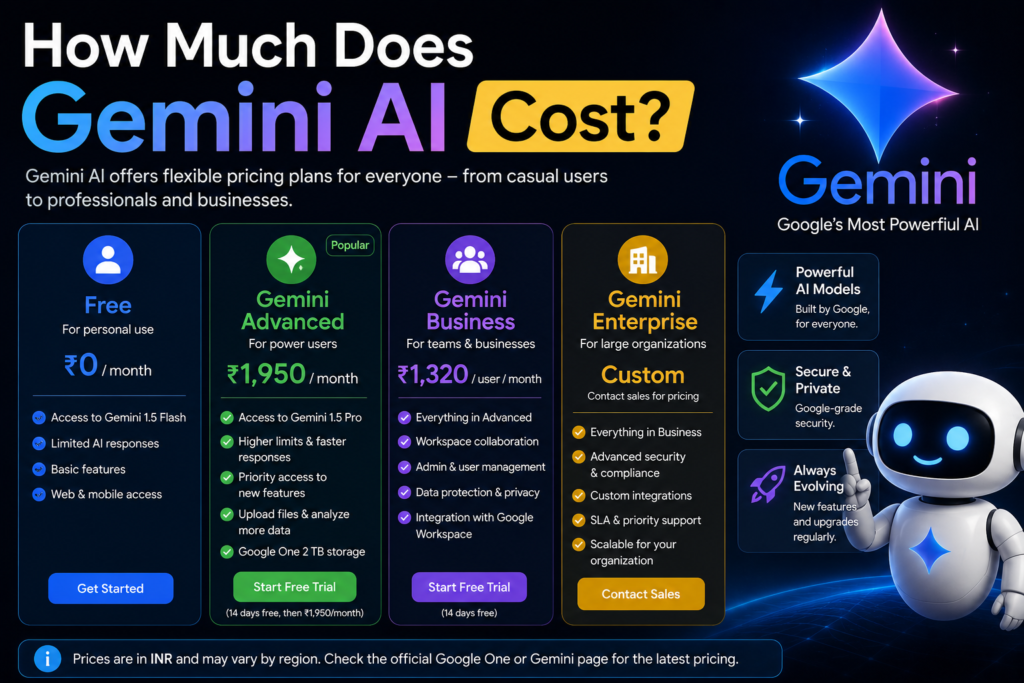
Google offers Gemini through a tiered subscription system, generally split into a free tier and paid plans often referred to as Google AI Pro and Google AI Ultra. The free version gives everyday users solid access to core chat, search, and basic creative features. The paid tiers unlock access to the most advanced models, higher usage limits, priority access to newly released experimental features, and additional storage across Google’s other services.
Because pricing and exact plan details can shift over time as Google rolls out new features, it is always a good idea to check the official Gemini and Google AI subscription pages directly for the most current pricing available in the United States before signing up.
Privacy and Data: What USA Users Should Know
Privacy is one of the most common concerns people raise about AI assistants that can read your email, calendar, and personal files. Google has tried to address this directly with what it calls Personal Intelligence, a system that connects Gemini to your other Google apps only with your explicit permission. As noted earlier, this connection is turned off by default, and users get to choose exactly which apps are linked and can disconnect them whenever they want.
That said, anyone using an AI assistant that has access to sensitive information should still take a few basic precautions: review which apps are connected periodically, avoid sharing highly sensitive personal or financial details unless absolutely necessary, and keep an eye on official Google support pages for updates to data handling policies, since these can evolve as new features roll out.
The Pros and Cons of Using Gemini AI
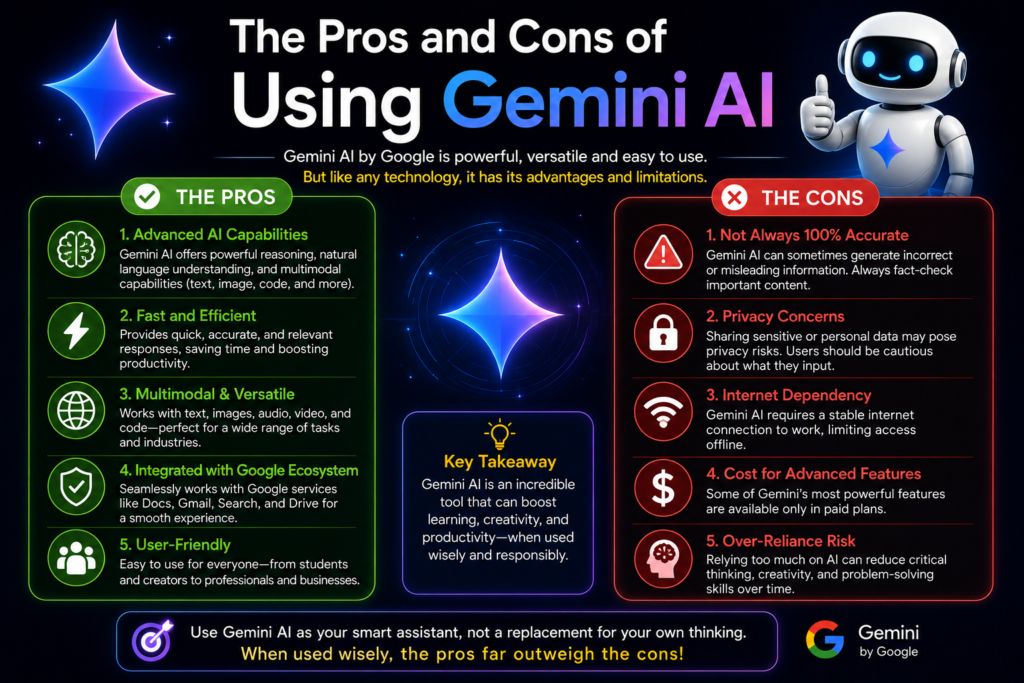
Pros:
Gemini offers deep, native integration with Gmail, Calendar, Photos, Search, and Android, which is hard for competitors to match. It supports text, image, audio, and video in a single connected experience rather than requiring separate tools. The proactive agent and Daily Brief features genuinely save time for busy users. It is available across phone, browser, and desktop, and now supports importing chat history from other AI platforms, making it easier to switch over.
Cons:
Some of the most advanced features, like the personal AI agent, are limited to paid Google AI Pro and Ultra subscribers, at least during early rollout phases. Users who are not already inside the Google ecosystem may not see the same level of benefit compared to dedicated Google users. As with most AI tools, generated content should always be fact-checked, since AI assistants can still make mistakes or present outdated information.
Getting Started With Gemini AI
Getting started is straightforward. United States-based users can download the Gemini app on iOS or Android, visit the Gemini website on desktop, or simply start using the built-in version inside Chrome and Android devices that already support it. New users typically sign in with an existing Google account, which means there is no separate account creation process required for most people.
Once inside the app, it is worth spending a few minutes exploring the settings menu to review which apps, if any, you want to connect for the more personalized Daily Brief and proactive agent features. From there, simply start a conversation the same way you would with any chatbot, ask a question, request an image, upload a document, or describe a task you want handled automatically.
The Future of Gemini AI
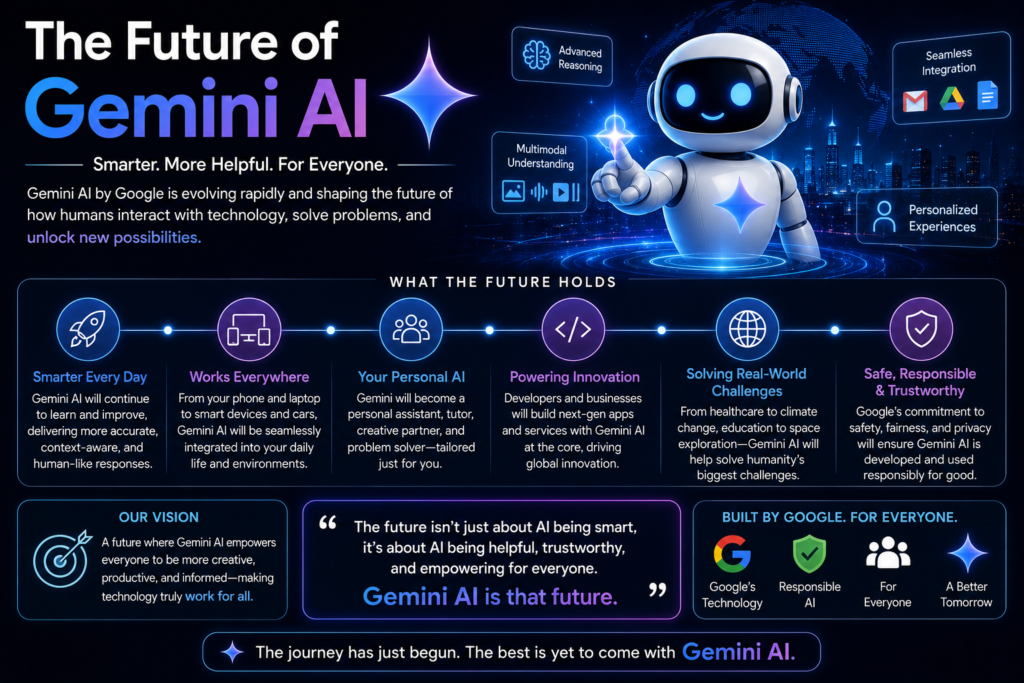
Google has made it clear that it intends to keep pushing Gemini toward a more proactive, agentic future rather than a purely reactive chatbot model. Expect continued expansion of automated task handling, deeper integration across Android devices and new hardware partnerships, more advanced image and video generation tools, and ongoing competition with other major AI platforms as each company races to make its assistant more genuinely useful in daily life rather than just impressive in a demo.
For everyday users, this generally means the experience will keep getting more convenient over time, fewer manual steps, fewer apps to juggle, and an assistant that increasingly anticipates what you need rather than waiting for a typed-out request.
Frequently Asked Questions About Gemini AI
Is Gemini AI free to use?
Yes. Google offers a free version of Gemini that includes core chat, search, and basic image generation features. Paid plans, generally called Google AI Pro and Google AI Ultra, unlock more advanced models, higher usage limits, and early access to new experimental tools.
Is Gemini AI better than ChatGPT?
Neither tool is universally “better,” since each has different strengths. Gemini tends to offer the deepest integration with Google services like Gmail, Calendar, and Android, while ChatGPT is widely praised for its writing style and broad plugin ecosystem. Many users in the United States choose based on which ecosystem, Google or otherwise, they already rely on most.
Can Gemini generate images and videos?
Yes. Gemini includes dedicated tools for generating and editing images, as well as a video generation system that can combine your own uploaded images, audio, and video with text prompts to produce a finished video clip.
Does Gemini have access to my Gmail and personal files automatically?
No. Gemini’s connection to apps like Gmail, Photos, and Calendar is off by default. Users must manually choose to turn this on, decide which specific apps to connect, and can disconnect them at any time through the settings menu.
What is the Gemini AI Daily Brief?
The Daily Brief is a personalized summary designed to be the first thing users check each morning. It pulls together information from a user’s inbox, calendar, and most important tasks into one organized overview, instead of requiring users to check multiple apps separately.
Can Gemini AI actually complete tasks for me, not just answer questions?
Yes. Newer versions of Gemini include a proactive personal AI agent capable of handling real tasks like managing parts of your inbox, scheduling, and running custom automated workflows, even continuing to work in the background after you lock your phone.
Is Gemini AI available on iPhone, or only Android?
Gemini is available on both Android and iOS devices, as well as through a web browser and a dedicated desktop application for Mac users, making it accessible regardless of which phone or computer you use.
Can I switch from another AI app to Gemini without losing my chat history?
Yes. Google has introduced tools that let users import personal context, preferences, and full chat history from other AI applications directly into Gemini, either through a guided summary process or by uploading an exported file of previous conversations.
Is Gemini AI safe and private to use?
Google states that privacy sits at the center of Gemini’s personalized features, with app connections turned off by default and full user control over what is connected. As with any AI tool, it is still wise to avoid sharing highly sensitive personal information and to review connected app permissions periodically.
Do I need a Google account to use Gemini AI?
Yes, you generally need a Google account to sign in and use Gemini’s full range of features, since the app is closely tied to the broader Google ecosystem of services.
Final Thoughts
Gemini has clearly moved past its early days as a simple Google chatbot experiment. By 2026, it has become a genuinely proactive AI assistant woven directly into the apps and devices millions of Americans already use every single day, from Gmail and Chrome to Android phones and desktop computers. Whether you are a student trying to manage coursework, a small business owner looking to save time on repetitive tasks, or simply someone curious about what modern AI can actually do, Gemini offers a surprisingly complete toolkit, all built around the idea of meeting you where you already are instead of asking you to start from scratch.
As with any fast-moving technology, the best way to stay current is to check Google’s official Gemini release notes and support pages directly, since new features and pricing details continue to roll out throughout the year.
Read Also….
ChatGPT VS Claude AI Review 2026

Hey, I’m Manish
I’ve tested 100+ AI tools since 2023 and reviewed them honestly on ZentroAI.
My mission: Help you discover the best AI tools without the hype.
Whether you need ChatGPT alternatives, coding assistants, or image generators .
you’ll find detailed, hands-on reviews here.