Top 10 AI Coding Tools:
Artificial intelligence has completely changed how software gets built in the United States. Whether you’re a solo indie hacker in Austin, a startup engineer in San Francisco, or a senior developer at a Fortune 500 company in New York, chances are you’re already using — or seriously considering — an AI coding tool in your daily workflow.
In 2026, the AI coding landscape looks nothing like it did even two years ago. We’ve gone from simple autocomplete plugins to fully autonomous coding agents that can plan a feature, write the code, test it, and even open a pull request without much human hand-holding. But with so many tools flooding the market, picking the right one for your team (or your side project) can feel overwhelming.
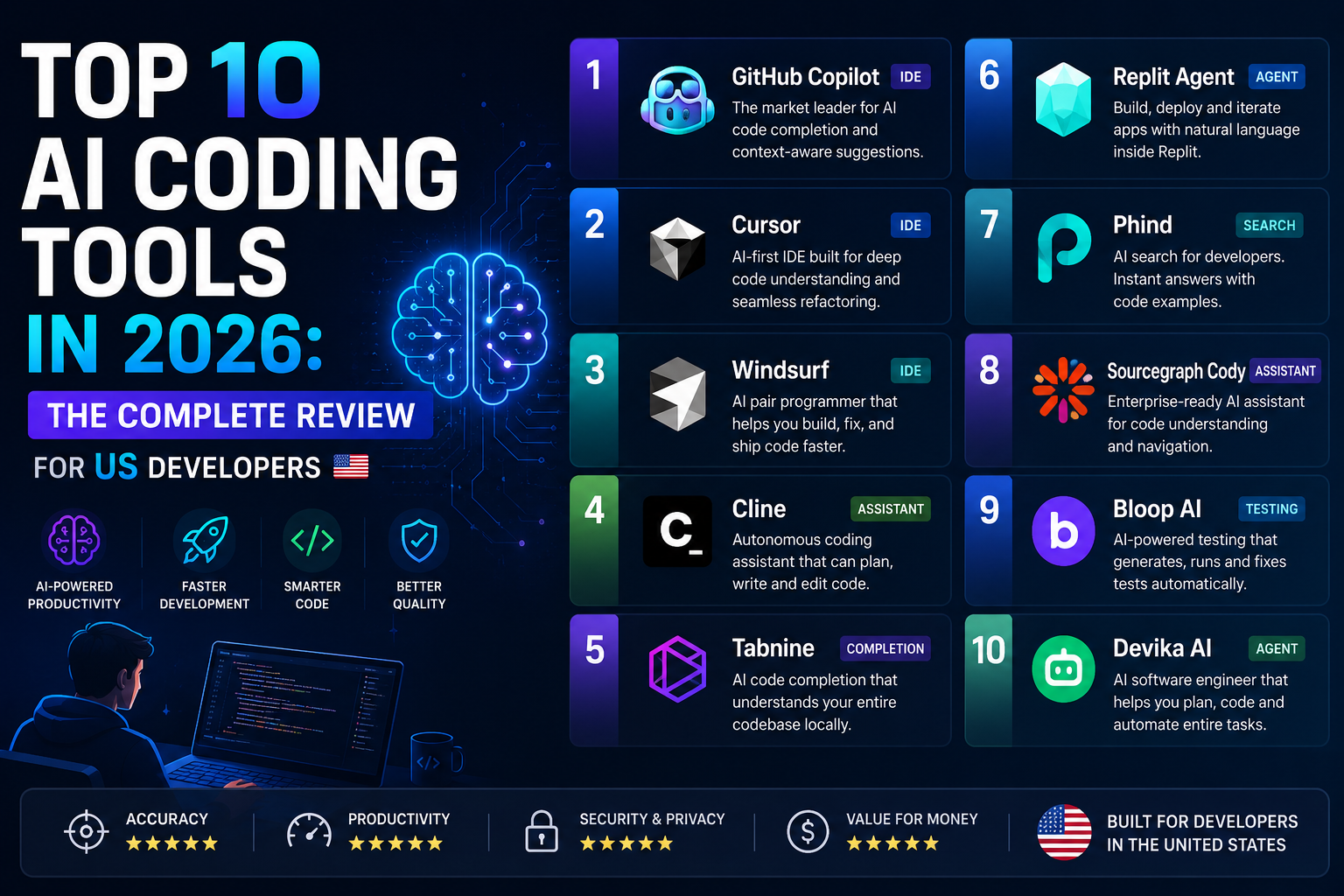
This guide breaks down the 10 best AI coding tools available right now in the US market, based on real-world performance, pricing, ease of use, and how well each one fits into different types of workflows. Whether you want speed, control, or full autonomy, there’s something here for you.
How We Evaluated These Tools
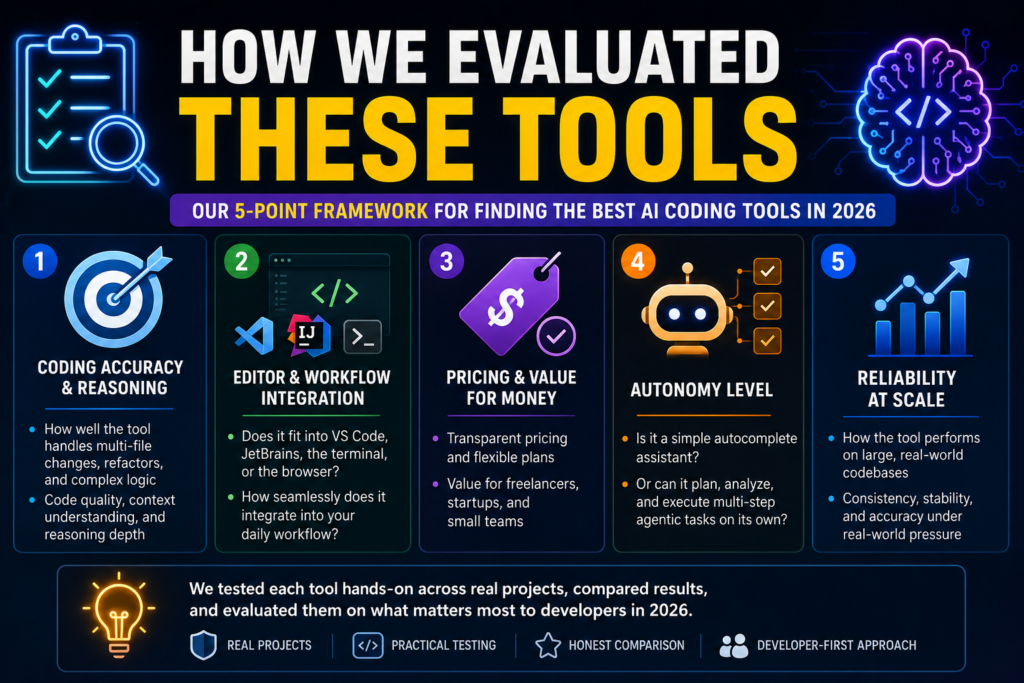
Before jumping into the list, here’s what we looked at while researching and comparing these platforms:
- Coding accuracy and reasoning — how well the tool handles multi-file changes, refactors, and complex logic
- Editor and workflow integration — does it fit into VS Code, JetBrains, the terminal, or the browser?
- Pricing and value for money — especially important for freelancers, startups, and small teams
- Autonomy level — is it a simple autocomplete assistant, or can it run multi-step agentic tasks on its own?
- Reliability at scale — how the tool performs on large, real-world codebases rather than small demo projects
With that framework in mind, here are the top 10 AI coding tools every US developer should know about in 2026.
1. Claude Code
Claude Code, built by Anthropic, has become one of the most talked-about tools in the AI coding space this year. It’s a terminal-native coding agent that can read an entire codebase, plan out a task, write the code, and help with testing — all with strong contextual awareness across files.
Why developers like it: Claude Code shines on complex, multi-step engineering work like API design, large-scale refactors, and production-grade logic where reasoning quality really matters. It’s especially useful when you already understand your project’s architecture and want an agent that follows your technical constraints closely instead of improvising.
Where it falls short: It can occasionally over-engineer a solution, and getting the best results sometimes requires clear, structured prompting. Strong code review practices are still recommended before merging anything into production.
Best for: Engineering teams working on complex systems, backend services, and large codebases where correctness and reasoning matter more than speed of output.
2. Cursor
Cursor isn’t a plugin bolted onto an existing editor — it’s a full AI-native code editor built from the ground up. Its “Composer” mode lets you describe changes in plain English and have Cursor edit multiple files in a single operation, complete with visual diffs so you can review everything before accepting changes.
Why developers like it: For teams working with modern frameworks like React, Next.js, or Angular, Cursor offers one of the smoothest development experiences on the market. Fast autocomplete, an intuitive chat interface, and tight integration between AI suggestions and your actual codebase make it a favorite among frontend and full-stack developers alike.
Where it falls short: Because it’s a standalone editor, switching to Cursor means adjusting your existing workflow and habits, which can be a barrier for developers deeply attached to their current setup.
Best for: Developers who want AI woven into every keystroke, with a polished, GUI-driven experience rather than a terminal-based one.
3. GitHub Copilot
GitHub Copilot remains the most widely adopted AI coding tool on the market, and for good reason. Its native integration with VS Code, JetBrains IDEs, Visual Studio, and Neovim makes it the lowest-friction option for developers who don’t want to change how they already work.
Why developers like it: Copilot’s biggest strength is inline autocompletion — it’s remarkably good at predicting the next line or block of code, which saves real time on boilerplate, repetitive logic, and API integrations. Its Business plan also gives teams access to both OpenAI and Anthropic models, letting Copilot switch between them depending on the task at hand. Pricing is also a major draw, with the Pro plan starting at roughly $10 per month, making it one of the most affordable options on this list.
Where it falls short: Compared to newer agentic tools, Copilot is less capable at complex, multi-step reasoning. Developers still need to guide architecture decisions and carefully validate AI-generated output.
Best for: Individual developers and teams who want a reliable, budget-friendly assistant that fits directly into their existing editor.
4. OpenAI Codex / ChatGPT for Coding
OpenAI’s coding-focused models, powering both the standalone Codex agent and ChatGPT’s coding capabilities, continue to be a top choice for developers who want strong reasoning combined with flexible reasoning-effort settings. Multiple reasoning-effort levels let developers trade off speed versus depth depending on the complexity of the task.
Why developers like it: Strong general-purpose reasoning, wide language support, and a familiar chat-based interface make this an easy on-ramp for developers who are newer to AI-assisted coding. It performs especially well on tasks that mix coding with data analysis or broader problem-solving.
Where it falls short: On pure coding benchmarks, it tends to trail slightly behind the top specialized coding agents, though the gap has narrowed significantly through 2026.
Best for: Developers who want a flexible, all-purpose AI assistant that handles coding alongside research, writing, and analysis tasks.
5. Windsurf
Windsurf built its reputation on the “Cascade” workflow, which lets developers collaborate with AI across an entire project in a more conversational, flowing way rather than isolated file-by-file edits. It’s a strong alternative for developers who want an AI-native IDE experience without fully committing to Cursor.
Why developers like it: Windsurf offers a genuinely different feel from competitors, with a workflow designed around continuous collaboration rather than one-off requests.
Where it falls short: Pricing, quotas, and model strategy have shifted several times through 2026, so it’s worth double-checking current plan details directly on Windsurf’s site rather than relying on older pricing information you might find elsewhere.
Best for: Developers who want an AI-first IDE experience as an alternative to Cursor.
6. Replit
Replit has evolved into a cloud-based AI development platform where you can describe an app, watch it get built, and deploy it instantly — all from your browser, with no local setup required.
Why developers like it: For rapid prototyping, hackathon projects, or non-technical founders trying to bring an idea to life quickly, Replit’s speed and simplicity are hard to beat. Everything from coding to deployment happens in one place.
Where it falls short: Costs can add up quickly with frequent use of AI features, sometimes running $40–$50 for a single basic app. It’s also better suited to lightweight projects than deep, production-grade engineering work.
Best for: Fast prototyping, MVPs, and developers who want to go from idea to live app without managing infrastructure.
7. Devin (Cognition Labs)
Devin markets itself as an autonomous AI software engineer, capable of handling complete development tasks — building features, fixing bugs, running iterative improvements — with minimal human supervision.
Why developers like it: For teams looking to offload well-scoped, end-to-end tasks, Devin represents a genuine step toward more autonomous software engineering. It works well when given clear goals and enough context to work independently.
Where it falls short: It’s still evolving, relatively expensive, and not yet considered fully reliable for production-critical systems without close oversight. Most teams treat it as an accelerator rather than a replacement for engineers.
Best for: Enterprises with budget to experiment with autonomous engineering workflows on well-defined tasks.
8. Amazon Q Developer
Amazon Q Developer is AWS’s answer to the AI coding assistant boom, specializing in AWS-specific code generation and cloud architecture recommendations.
Why developers like it: For teams already deep into the AWS ecosystem — using services like SageMaker, EMR, Lambda, or DynamoDB — Amazon Q’s native integration saves real setup time and produces more relevant, context-aware suggestions than generic tools.
Where it falls short: Its value drops significantly outside the AWS ecosystem, making it a poor fit for teams on other cloud providers.
Best for: Enterprise teams heavily invested in AWS infrastructure.
9. Bolt.new
Bolt.new is a lightweight, browser-based coding tool built for fast prototyping and experimentation. It handles setup tasks like installing libraries and managing files automatically, right inside the browser.
Why developers like it: The minimal friction and fast feedback loop make Bolt.new a great choice when speed and simplicity matter more than full-stack depth — perfect for testing new libraries, exploring APIs, or building quick internal tools.
Where it falls short: It’s not designed for large, complex production applications, and depth of functionality is intentionally traded for speed.
Best for: Quick experiments, internal tools, and lightweight prototyping.
10. Gemini Code Assist / Google Antigravity
Google’s AI coding tools are in the middle of a major transition in 2026, migrating toward a new platform called Antigravity, with Gemini 3.1 Pro powering much of the underlying intelligence. Note that the free individual tier of Gemini Code Assist is being phased out in mid-2026, though Enterprise plans remain unaffected in the short term.
Why developers like it: Gemini-powered tools are frequently praised for terminal-based agent workflows, letting developers run an agent against a local repo, make file edits, and carry out multi-step tasks without a heavy UI layer. It’s especially popular among developers who prefer staying close to the terminal for iterative debugging.
Where it falls short: Compared to Claude-backed agents, Gemini’s agent mode is sometimes considered less reliable on complex refactors or deep, multi-step reasoning tasks. The ongoing platform migration also adds some uncertainty for teams planning long-term adoption.
Best for: Developers who prefer terminal-based workflows and are already invested in Google Cloud’s ecosystem.
Quick Comparison Table
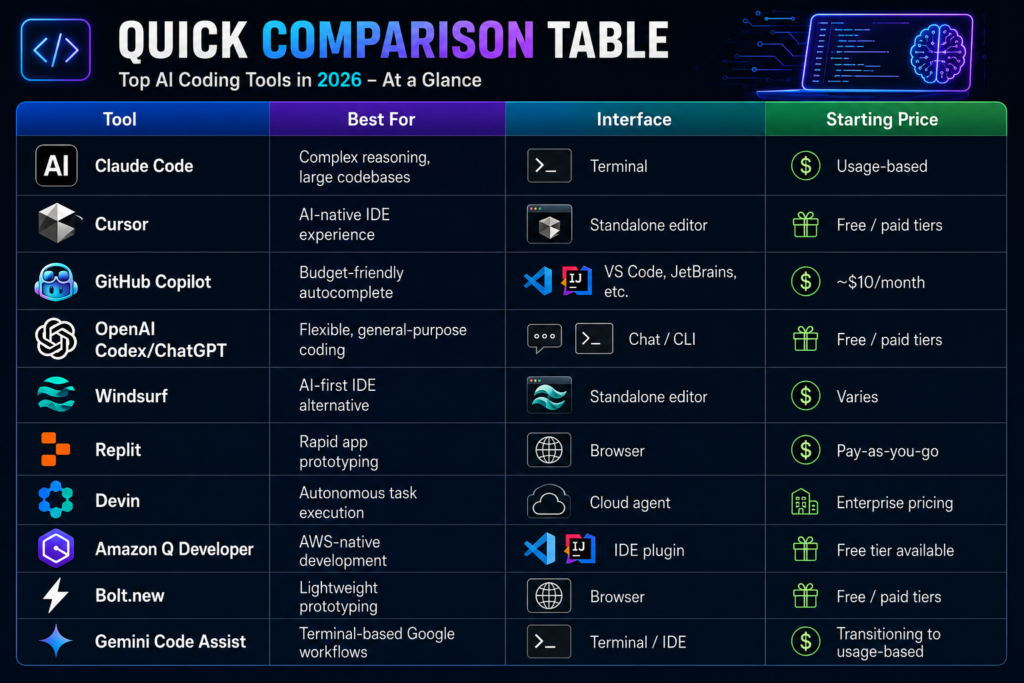
| Tool | Best For | Interface | Starting Price |
|---|---|---|---|
| Claude Code | Complex reasoning, large codebases | Terminal | Usage-based |
| Cursor | AI-native IDE experience | Standalone editor | Free / paid tiers |
| GitHub Copilot | Budget-friendly autocomplete | VS Code, JetBrains, etc. | ~$10/month |
| OpenAI Codex/ChatGPT | Flexible, general-purpose coding | Chat / CLI | Free / paid tiers |
| Windsurf | AI-first IDE alternative | Standalone editor | Varies |
| Replit | Rapid app prototyping | Browser | Pay-as-you-go |
| Devin | Autonomous task execution | Cloud agent | Enterprise pricing |
| Amazon Q Developer | AWS-native development | IDE plugin | Free tier available |
| Bolt.new | Lightweight prototyping | Browser | Free / paid tiers |
| Gemini Code Assist | Terminal-based Google workflows | Terminal / IDE | Transitioning to usage-based |
How to Choose the Right AI Coding Tool for You
There’s no single “best” AI coding tool in 2026 — the right choice depends heavily on your workflow, budget, and the kind of work you do most often. A few things worth considering:
- If you want deep reasoning on complex, large-scale codebases, tools like Claude Code tend to perform best.
- If you want a polished, visual, IDE-style experience, Cursor or Windsurf are strong picks.
- If budget is your top priority, GitHub Copilot’s low monthly cost is hard to beat.
- If you want to go from idea to deployed app fast, Replit or Bolt.new will get you there quickest.
- If you’re already locked into a specific cloud provider, Amazon Q or Gemini Code Assist will integrate more naturally into your stack.
Many experienced developers in 2026 don’t rely on just one tool. It’s increasingly common to use a terminal-based agent for deep, complex tasks, an IDE extension for everyday editing, and a cloud-based tool for quick prototypes — mixing and matching based on what each task actually needs.
One more thing worth keeping in mind as these tools get more powerful: they’re also getting more expensive to run at scale. Token efficiency — how much useful work you get per dollar spent — is becoming just as important a factor as raw capability, especially for teams running AI agents continuously in the background.
Frequently Asked Questions
1. What is the best AI coding tool overall in 2026?
There isn’t one universal “best” tool — it depends on your use case. For complex, reasoning-heavy engineering work, Claude Code and Cursor are frequently ranked at the top. For budget-conscious individual developers, GitHub Copilot remains extremely popular thanks to its low price and broad editor support.
2. Are AI coding tools free to use?
Most tools offer some kind of free tier or trial, but the more powerful agentic features (multi-file edits, autonomous task execution, larger context windows) are usually locked behind paid plans. Pricing models are increasingly shifting toward usage-based billing rather than flat monthly fees.
3. Can AI coding tools completely replace human developers?
No, not yet. Even the most autonomous tools like Devin are best treated as accelerators rather than full replacements. They still require human oversight, code review, and architectural decision-making, especially for production-critical systems.
4. Which AI coding tool is best for beginners?
GitHub Copilot and ChatGPT/Codex tend to be the most beginner-friendly, thanks to their familiar interfaces and gentle learning curve. Tools like Claude Code, which are more terminal-focused, generally work best once you already understand your project’s structure and technical constraints.
5. Is Cursor better than GitHub Copilot?
It depends on what you value. Cursor offers a more immersive, AI-native editing experience with visual diffs and multi-file editing, while Copilot wins on price and low-friction integration into editors you already use. Many developers actually use both for different purposes.
6. What’s the difference between an AI coding assistant and an AI coding agent?
An assistant (like standard Copilot autocomplete) reacts to what you’re typing and offers suggestions, explanations, or quick fixes. An agent (like Claude Code or Devin) can plan a task, work across multiple files, run commands, and complete larger changes with more autonomy, usually under your review at each step.
7. Are AI-generated code suggestions safe to use in production?
They can be, but only with proper review. AI-generated code should always go through the same code review, testing, and security checks as human-written code. No current tool guarantees error-free or fully secure output on its own.
8. Which AI coding tool works best with AWS?
Amazon Q Developer is purpose-built for the AWS ecosystem and offers the deepest integration with services like SageMaker, Lambda, and EMR, making it the natural choice for teams already running on AWS infrastructure.
9. Do I need to know how to code to use these AI tools?
Tools like Replit and Bolt.new are designed to be approachable even for non-technical users who want to build simple apps. However, for anything beyond basic prototypes, a solid understanding of programming fundamentals — architecture, design patterns, and debugging — still makes a huge difference in the quality of what you can build.
10. How much do AI coding tools typically cost per month?
Pricing varies widely. Budget options like GitHub Copilot start around $10/month for individuals, while enterprise-grade tools and autonomous agents can run significantly higher, especially under usage-based pricing models tied to how many tokens or requests you consume.
Notic:
This article reflects the AI coding tool landscape as of mid-2026. Given how fast this space moves, pricing, features, and rankings can shift quickly — it’s always worth checking each tool’s official website for the most current details before making a decision.
Read Also……

Hey, I’m Manish
I’ve tested 100+ AI tools since 2023 and reviewed them honestly on ZentroAI.
My mission: Help you discover the best AI tools without the hype.
Whether you need ChatGPT alternatives, coding assistants, or image generators .
you’ll find detailed, hands-on reviews here.